What This Review Will Cover
Before we get into the full breakdown, I want to make it clear exactly what this review is going to cover. I didn’t just look at the POCO M7 on the surface, I went through every screen, every menu, every feature, every benchmark and every real-world test I could run. If it’s part of the experience you’re looking for, it’s all in here. Nothing skipped, nothing rushed and nothing sugar-coated. Just a pure, raw and brutally honest review of the POCO M7. Let’s have a look at everything from a snapshot point of view.
• The full User Interface and software experience including lock screen, home screen, Google apps, POCO apps and ads inside the system
• A deep run through the Themes app including wallpapers, widgets, ringtones and fonts
• Security tools, Cleaner, battery modes, protection settings and extra features
• All gesture shortcuts, quick-launch tools and control center options
• The Weather app, power button options and all customization features
• Benchmark performance including CPU, GPU and system info
• Game testing including Critical Strike with multiple screenshots
• Google Play performance including app and game installation
• Extra visuals through photos and videos that highlight real-world use
Now that you know exactly what to expect, let’s head straight into the start of the POCO M7 Review. If you love reading detailed breakdowns, sit tight, relax and enjoy the rest of the review.
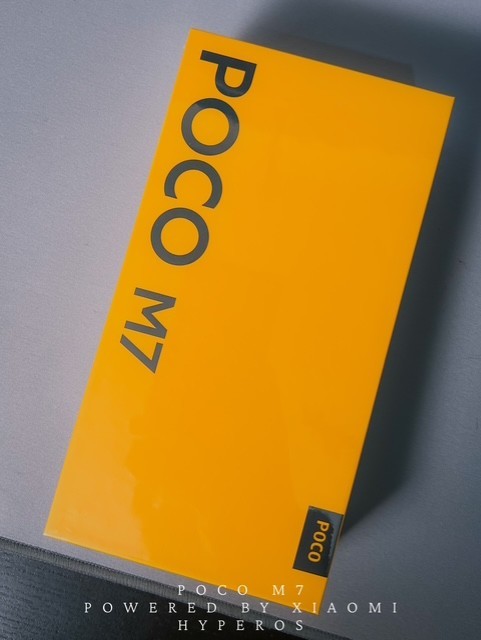
Unboxing, First Impressions & A Few Words
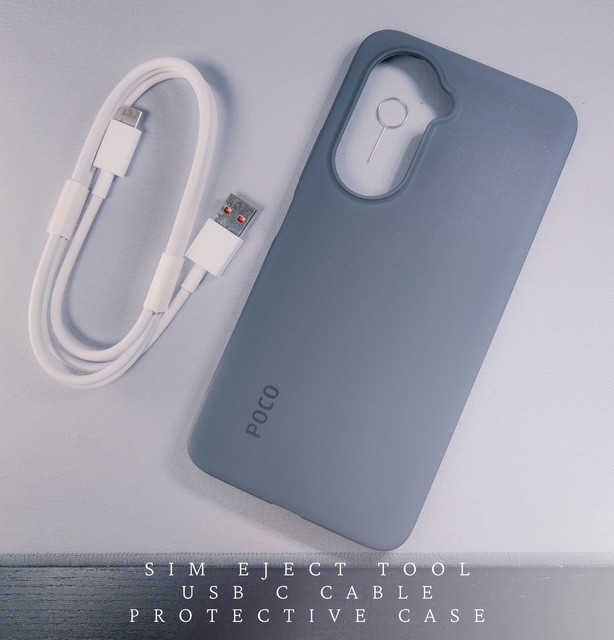
Unboxing the POCO M7 was a surprisingly refined experience, one that instantly made the device feel more premium than its category suggests. The moment I lifted the lid, everything inside was laid out cleanly and purposefully; the phone itself, a SIM ejector tool, the USB-C cable, the paperwork, and the included rubber case.
Now, about that case.
Let’s just say it exists. It’s functional in the same way a paper umbrella is technically “shade.” The material feels extremely basic, and the fit was so tight that I practically had to convince the phone to sit inside it. Personally, I wouldn’t rely on it for protection, and I doubt anyone who cares about their new phone would either. It’s the kind of case you keep in the box “just in case,” but realistically, it’s worth investing in something better.
The rest of the unboxing, though, carries a very different feeling.
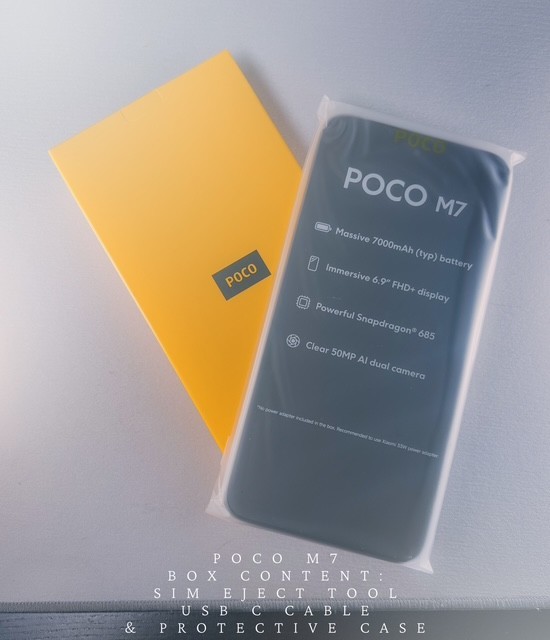
The POCO M7 itself immediately gives off a premium impression. Even before powering it on, the finish, the weight, and the overall feel in the hand tell you this is a device that punches way above its level. The build doesn’t scream budget, it feels confident, polished, and ready to deliver.
Inside the box, you also get the small print booklet that every phone ships with, and let’s be honest, no one reads those unless they’re troubleshooting at 2 AM.
Once everything was out of the box, I took a moment to capture the photographs you’ll see included in this review, all taken and edited by me. My goal is to show the POCO M7 exactly as it appears in real life, not dressed up or exaggerated.
With the initial impressions out of the way, let’s jump into the setup experience and everything that follows.
Boot & Setup Experience
Powering on the POCO M7 for the first time felt like stepping into a clean, modern ecosystem that wastes no time getting you up and running. The setup process is straightforward, but what impressed me most was how seamless and visually refined everything felt, it’s a level of polish you don’t always expect in this category.
The moment the POCO logo appears, you’re greeted with the language selection screen. I chose English, followed by the region. Everything loads quickly and transitions smoothly, which already sets a positive tone for what’s ahead.
Next, the phone prompts you to insert your SIM card. Once that’s done, you’re guided to connect to Wi-Fi, and from here the device begins shaping itself around your Google account. You can sign in with an existing Gmail or create a new one; and if you’re coming from another Android device, you’ll get the option to copy your apps and data.
One thing worth mentioning is the screen lock setup. The phone gives you three main security routes; Screen Lock only, Fingerprint, or Face Unlock.
But here’s the interesting bit, whichever biometric option you choose, the device will first ask you to create a Pattern, PIN, or Password. Only after setting that up will, it activates the fingerprint or face registration screen. I chose a PIN first, which then instantly opened the fingerprint setup prompt. It’s a smart approach and adds an extra layer of security.
After that, Google Services comes into play with a set of toggles that determine how much you want your device to interact with Google’s ecosystem. These include the following, Location services, scanning options, biometric verification for purchases, system updates, and diagnostic data sharing. You can enable or disable anything you like; the choices are clear and easy to understand.
Right after, the device asks whether you want to back up your data to Google Drive. I personally recommend leaving this on, as it saves a lot of trouble later if something ever goes wrong.
Then you’re presented with something interesting, choosing your default search engine. There are several options, but I kept it classic and went with Google for consistency.
You’ll also see a screen asking if you want nearby contacts to discover you for sharing, simple “No Thanks” or “I Agree” options. Following that is a section called “Meet Gemini,” where you’re introduced to quick AI access using the power button or voice.
Google Pay setup appears next if you want to get your contactless payments ready. I skipped it for later.
The setup then gives you a chance to personalise small things, such as wallpaper selection, adding another email account, and basic system settings such as automatic updates, location, and more. You can toggle them on or off however you prefer.
A particularly nice addition is the Parental Controls option. If this phone is being used by a younger family member, this is a great place to ensure a safer experience. For me, I simply turned it off.
Font size comes next with two clean options, Default and a slightly larger version. I tested both, and the larger one is surprisingly comfortable without feeling oversized.
You’re then guided to set up your lock screen and choose your default launcher style. You get two intuitive choices, Unlock and swipe left to right, or swipe upward to open the app drawer. This gives you the feeling of choosing your navigation personality from the start.
You’ll then see a page showing Recommended Apps, mostly games and tools I personally didn’t want, so I chose to uninstall them entirely.
Navigation mode comes next, giving you the option between Full Screen Gestures or the classic Button layout. I chose gestures for a cleaner, modern feel.
Finally, you’re greeted with a “Preparing System” screen as HyperOS builds everything in the background. This part is surprisingly quick, and once complete, you’re met with the Setup Complete message.
A tap on “Continue,” and the POCO M7 officially welcomes you into its user interface.
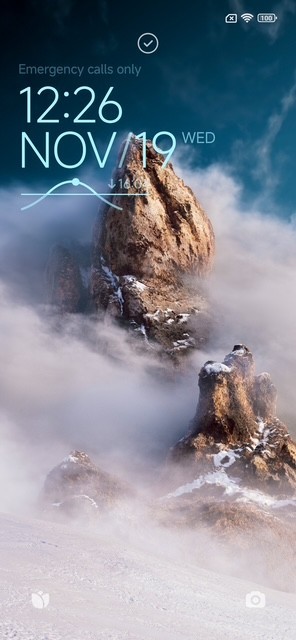
Distinctive Characteristics That Impress & Fine Details You Shouldn’t Overlook
1. Haptic Feedback While Typing
One of the first things that genuinely surprised me after setting up the POCO M7 was the haptic feedback while typing. It has a subtle, crisp vibration that feels far more refined than what you usually find in this price range. Instead of feeling hollow or buzzy, which is common on budget devices the feedback here is precise, soft, and almost reassuring, adding a satisfying rhythm as you type. After using it for a few hours, I realised I was starting to enjoy typing on this phone. It’s a small detail, but it contributes heavily to the overall user experience.
2. Rounded Icons
HyperOS introduces a beautifully clean icon style, but what caught my attention immediately is how smooth and consistent the rounded icons look across the home screen. They add a minimalist, modern aesthetic that elevates the interface without trying too hard.
Nothing feels jagged or mismatched, and in a world where many budget phones slap together icons with different shapes and styles, the POCO M7 keeps things visually cohesive. This rounded design gives the home screen a polished, premium feel that is easy on the eyes and genuinely pleasant to navigate.
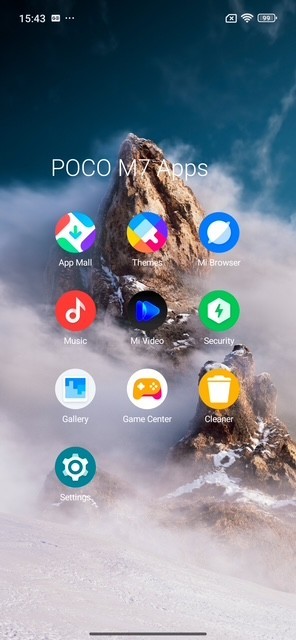
3. Clean Spacing Between Icons
This is something many people overlook, but good spacing makes a massive difference in day-to-day use. The POCO M7 maintains generous, well-proportioned spacing between app icons.
It prevents the layout from feeling cramped or overwhelming and gives every screen a sense of balance. The UI breathes, and that’s what makes opening the phone feel refreshingly uncluttered. Even if you pack your home screen with apps, everything still looks organised rather than chaotic.
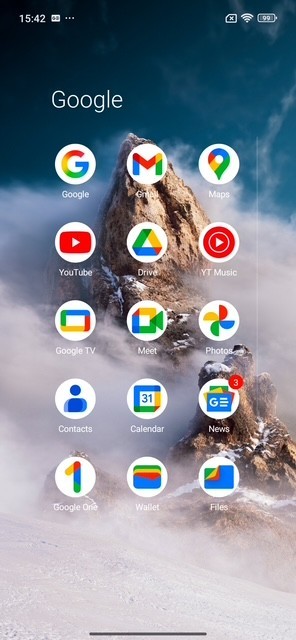
4. Swipe Down to See Apps Updating
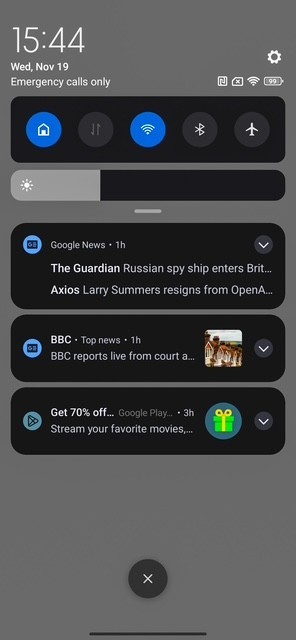
A small but satisfying detail. When you swipe down to check notifications, the POCO M7 shows you the live app updates happening in the background. It’s a subtle touch, but it gives you a real time glimpse into what your phone is doing without forcing you to navigate through menus. You know exactly which apps are updating, how long they’ll take, and whether anything needs your attention. Simple, clean, and functional. Exactly how it should be.
5. Swipe Down for Battery Protection Toggle
This feature genuinely impressed me. With a quick swipe down, you get access to a Battery Protection toggle, designed to prevent the battery from aging prematurely. For a device in this price bracket, this is a thoughtful addition, something even some higher end smartphones forget to include. Turning it on limits charging to a healthier threshold, preserving long-term battery health. For people who keep phones for several years like me, this is a massive win. I would even say it’s one of the POCO M7’s underrated features that deserves more attention.
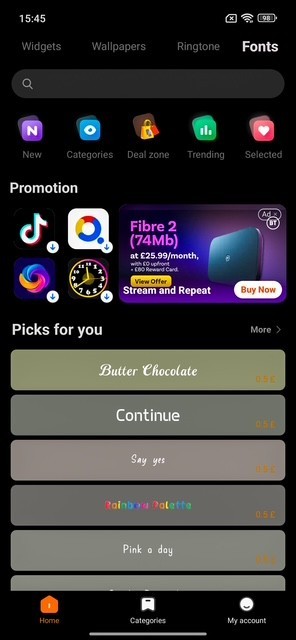
6. Themes App
The Themes app is easily one of the highlights of HyperOS. It’s not just a place to change wallpapers, it’s a full creativity hub. It includes the following.
- Featured Collections
- Themes
- Wallpapers
- Ringtones
- Fonts
What I appreciate most is how extensive the library is. Whether you want a minimalist look, something colourful, futuristic, animated, or artistic. it’s all there. And unlike many budget devices, the Themes app on the POCO M7 doesn’t feel cheap or bloated. It feels like a premium design studio where you can completely transform your phone’s personality in minutes.


7. Security App
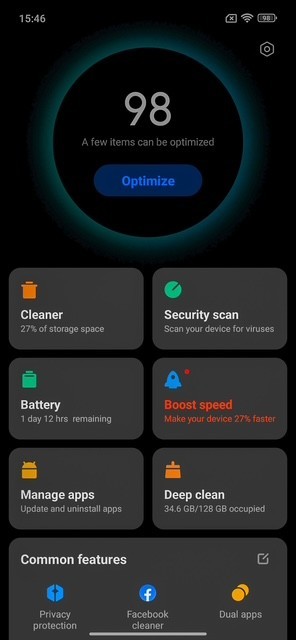
This is one of those everything in one place apps that delivers. The Security app includes:
- Optimize: Quickly boosts performance by cleaning unnecessary processes.
- Security Scan: Checks your phone for threats or vulnerabilities.
- Cleaner: Removes junk files and cached data.
- Battery: Gives your health info and usage breakdowns.
- Speed Booster: Great for refreshing performance.
- Manage Apps: Lets you uninstall or view permissions easily.
- Deep Clean: A more thorough clean-up option for heavy files and unused content.
It’s laid out neatly, runs smoothly, and provides features that many users would otherwise need third-party apps for. Practical, powerful, and well organized.
8. Cleaner App
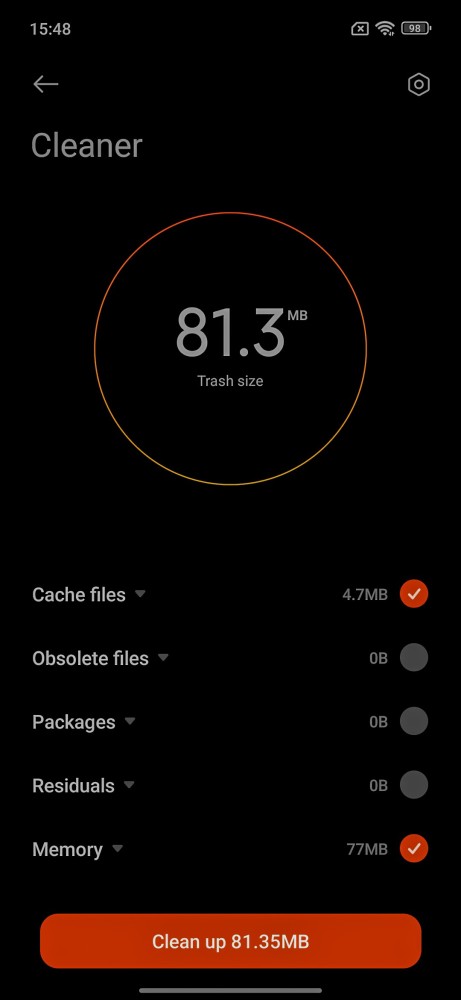
The Cleaner app does exactly what you expect but does it well. It removes cache, junk files, unused files, and even leftover data from apps you’ve uninstalled. The UI is simple, the process is quick, and you get a clear breakdown of what’s being removed before you confirm anything. What I like most is that it doesn’t aggressively force you into system optimizations like some other brands do. You stay in control. It’s clean, efficient, and genuinely helpful for keeping the phone running smoothly.
9. Ads During First Time App Launches
Now, this is one of the few areas that instantly stood out, and not in a good way. When opening certain apps for the first time, I encountered unwanted ads, which can break the flow of the initial user experience. It’s not overwhelming, and it doesn’t continue once you’ve adjusted a few settings, but it’s still something that shouldn’t really be present in 2025. The good news is that you can disable most of these ads through system settings. But from a premium user experience perspective, this is one area that absolutely needs refinement.

10. HyperOS Version Before & After Update
Out of the box, my unit arrived with HyperOS version 2.0.203.0, which is already quite smooth, but with few hiccups. Shortly after setup, an update was available, bringing it to version 2.0.204.0. The update didn’t dramatically change the UI, but it did enhance system stability and animation fluidity. App launching felt slightly faster, transitions felt a bit cleaner, and battery optimisation improved after a day of usage. It’s clear that Xiaomi is actively refining HyperOS and having updates available immediately after unboxing is always a positive sign.
11. Smoothness of the 90Hz Display in Daily Use
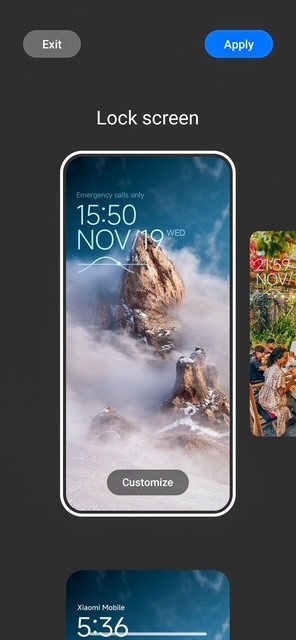
Even though the POCO M7 isn’t marketed as a flagship, the 60Hz, 90Hz and 144Hz display delivers a level of fluidity that genuinely feels a tier above its class. Scrolling through apps, swiping between menus, or even navigating the notification shade feels effortless and clean. There’s a certain polished smoothness that makes the overall experience feel modern and responsive, especially if you’re upgrading from a 60Hz device. It enhances everything, social media feeds, gaming animations, and even simple transitions. It’s one of those subtle upgrades that you immediately notice, and once again, it’s something that makes the phone feel far more premium than its price suggests. Please know that I do not have another Android cell phone to compare this with, or any other features for that matter, as I am an iPhone user.

12. Brightness Levels Indoors and Outdoors
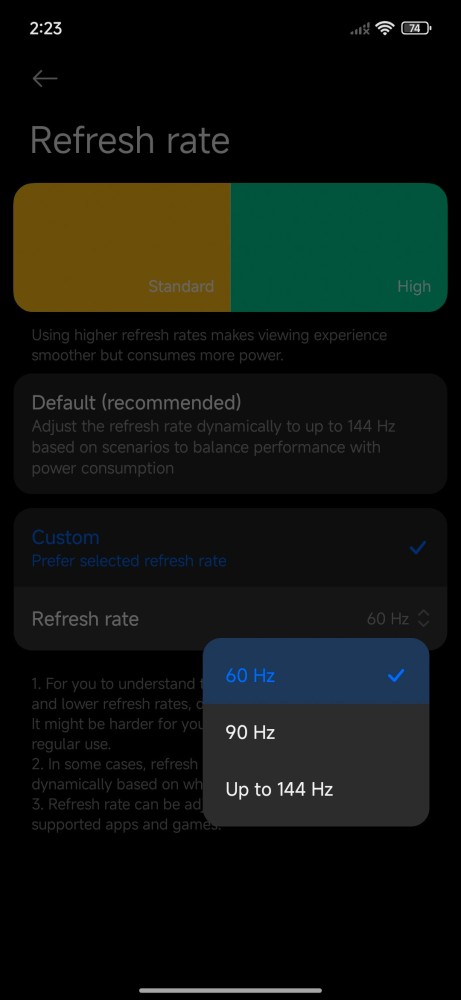
The display’s brightness balance is surprisingly well tuned. Indoors, colours do feel rich and comfortable, without that washed out dullness budget phones usually suffer from. Outdoors, the peak brightness is strong enough to keep content readable, even under sunlight. You won’t be squinting or tilting the phone awkwardly just to see the screen, and that alone makes using the device on the go significantly more pleasant. It’s efficient, reliable, and consistent across environments.
13. Speaker Quality and Loudness
The speaker setup on the POCO M7 left a surprisingly positive impression. It’s loud, punchy, and carries a clean high-end without cracking at maximum volume. For casual YouTube, TikTok, voice notes, or calls on speaker mode, it delivers clarity that feels genuinely impressive at this price point. It won’t replace a pair of dedicated earbuds, but as an everyday audio system, it performs beyond expectations. Even ringtones and notifications sound clear and defined, small details that matter more than people realise.

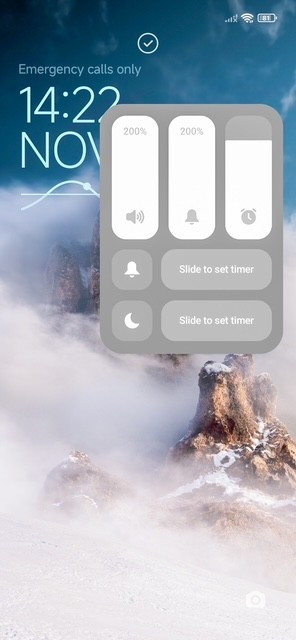
14. Smoothness of Animations in MIUI Dialler & Messaging
Transitions inside the dialler and messaging apps feel unexpectedly fluid. MIUI often has a reputation for being heavy, but here it feels clean, refined, and optimised. Opening the keypad, checking recent calls, or switching to messaging carries a subtle finesse a softness to the animation that makes everything feel cohesive and thoughtfully designed. It’s the kind of polish that gives the phone its personality.
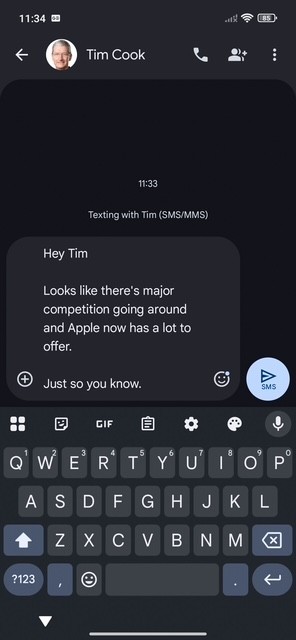
15. Software Optimization and General Responsiveness
From app launches to multitasking, the software optimisation on this device feels tight and well-implemented. Nothing feels sluggish or unresponsive. Even with multiple apps open in the background, the phone maintains a smooth flow that keeps the experience enjoyable and predictable. It’s obvious that POCO spent time fine tuning the performance, and it shows.
16. Responsiveness Inside the POCO App Ecosystem
Apps like the File Manager, Cleaner, Gallery, and Security Center run smoothly and load quickly. There’s a noticeable consistency in how they behave, no random freezes, no sudden delays, just clean responsiveness across the board. For users who rely heavily on built in tools, this adds a real sense of reliability to the phone.
17. Face Unlock Speed and Reliability
Face Unlock on the POCO M7 is impressively fast. You lift the phone, it recognises you instantly, and you’re in no delay, no hesitation. The accuracy is also spot on but works perfectly in well-light places and occasionally works while in a dim-light place. During slightly dim environments, it’s a hit and miss. It’s one of those features that will quietly enhances overtime with firmware updates.
18. The Included USB-C Cable & the Reality of No Charger in the Box
POCO keeps things simple with the POCO M7, providing a USB C cable in the box but not a charging brick, a trend that many brands have now adopted. While it would have been nice to see a full charger included, the cable itself feels durable and well made. The upside?
If you already own a USB C charging brick or a fast charger from another device, the M7 takes full advantage of it without any compatibility issues. Charging remains stable, efficient, and reliable with the right power adapter, and the device manages temperature well during top ups. It’s a minimalistic approach, but still practical, and it keeps the unboxing experience clean and modern.
19. How Well It Handles Apps Like TikTok, Instagram & Facebook
This is where the M7 really shines in real world usage. TikTok loads quickly, videos scroll smoothly, and audio stays in sync. Instagram performs equally well while swiping stories, scrolling feeds, and refreshing pages all feel fluid. Facebook, often heavy on cheaper phones, behaves surprisingly well here too. For a device in this category, social media performance is genuinely impressive, making it ideal for everyday users.
20. Keyboard Sound Feedback + Vibration Sync
Typing on the POCO M7 is genuinely satisfying not only because of the haptics, but also the clean audio feedback, which kind of sounds like small hard plastic balls falling on the floor. The keypress sound is soft, subtle, and never annoying paired with the crisp vibration, it creates a premium typing rhythm that feels natural and enjoyable. The synchronization is perfect: sound and vibration hit at the exact same moment, giving each keystroke a sense of polish that you don’t usually expect here.
ers, but rather opportunities for the POCO Series to elevate the user experience even further.
The absence of a charger in the box feels limiting, especially for users who may not already own a compatible USB-C power adapter. The included rubber case also feels like an afterthought because it is too tight, too basic, and not at all aligned with the otherwise premium feel of the device.
Face Unlock, while convenient in theory, can be inconsistent at times and doesn’t offer the same reliability as the fingerprint sensor. And although HyperOS is smooth and beautiful, the occasional presence of ads within certain apps slightly breaks the high-end experience the M7 aims to deliver.
Low-light camera performance is decent but leaves room for a lot of improvement, especially for users who take night photos frequently. These areas don’t diminish the value of the device, but they highlight potential enhancements that could make the next POCO M Series truly flawless.
POCO M7 Review - Continuation.
To read the second part of the review, please click the link below.
POCO M7 Review. A Premium Touch in a World of Ordinary - Part 2
Cool TechReviews
