With the ongoing Tech Tryout, I’m sure we’ve all seen the specs for the ROG Ally X. (if you haven’t, @David_P ’s thread is also a good starting point, and @Lili_Anderson wrote a a nice comparison with Ally X’s smaller brother)
In short, the Ally X is among the most interesting handhelds: a massive 80Wh battery, 24GB of LPDDR5X RAM, a top-tier Ryzen Z2 Extreme CPU, and that buttery smooth 120Hz VRR display. It’s the dream machine for anyone wanting to take their Steam library on the go without a charger-induced panic attack.
But let’s be real: only one of us will be able to snag one through the HeyUp Tryouts. For the rest of us, however, the dream ends once the Tech Tryouts winners are announced.
But does it have to? Can maybe a smartphone actually replace a full-fledged PC handheld in 2025? I tried so you don’t have to. Keep on reading to find out more.
Can Your Smartphone Also Be Your Ally?
This Community is no stranger to gaming phones. In fact, gaming smartphones are among the top picks of every Community Vote. I don’t have one, but I decided to entertain the idea anyway: Can my OnePlus 13 become a gaming machine beyond the casual mobile games? Can it truly replace a PC handheld like the ROG Xbox Ally X?
There are a few paths to accomplish it:
GameHub Lite. It acts as a specialized frontend that leverages compatibility layers to run actual PC games. We’re talking about playing Fallout 4 or Bioshock natively on your phone. Think of it as an emulator, but for PC games. You run the games on your phone, but there are limitations.
Moonlight & Sunshine If native emulation fails, Moonlight is the alternative. By pairing it with Sunshine on your home PC, you can stream your entire desktop to your phone with virtually zero perceived latency. You can even set it up to play remotely, as long as you have a fast-enough connection. This means you are not bound by the processing power of your phone, but you need additional and expensive hardware (a desktop PC).
GeForce Now, if you lack the hardware to run Sunshine. With this option you’re effectively renting a PC in the cloud to run your games. Latency and a paid subscription are a concern, but it will be your final option if everything else fails.
Since I don’t want to overextend myself, I’m dividing this into three parts, starting with the one I think is the easiest to pull off and also the most exciting one to talk about, GameHub Lite.
If you haven’t heard of GameHub Lite yet, it’s essentially a community-built, stripped-down version of GameSir’s original GameHub app: the Android platform that lets you play Steam games on your phone via emulation. GameHub Lite takes that same core idea but removes the mandatory login, invasive permissions, and tracking baked into the official app, resulting in a smaller, privacy-focused, and offline-friendly experience.
—
What Do You Need To Start?
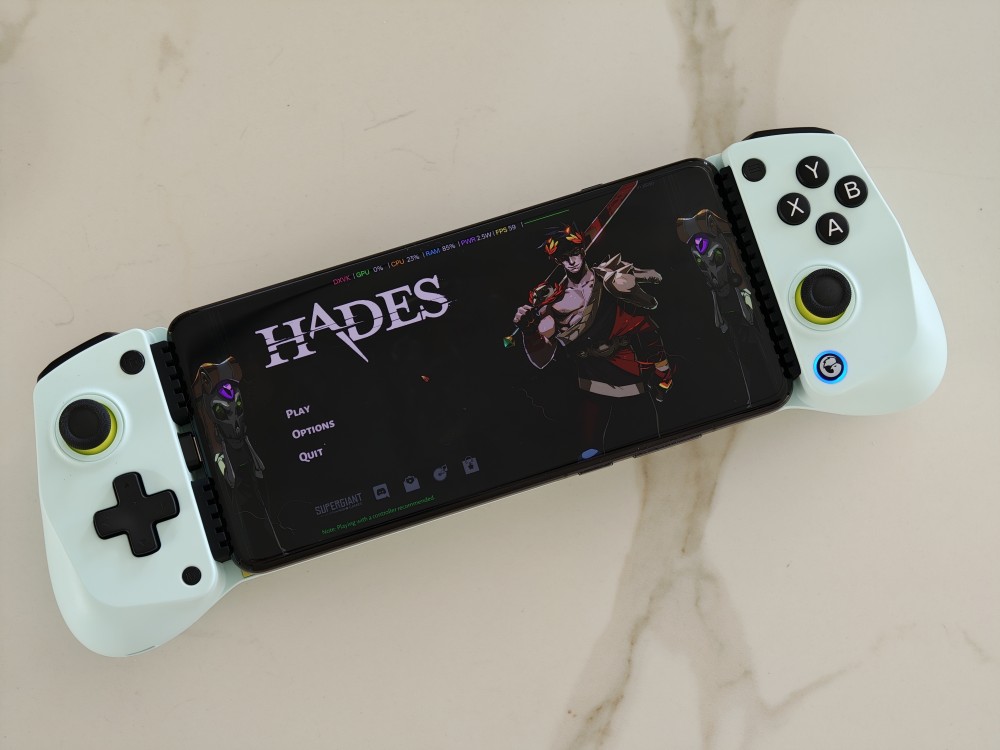
- A smartphone, preferably one with a high-end Snapdragon SoC. I’m running it on the OnePlus 13 which has the Snapdragon 8 Elite, but older chipsets are better supported for the time being. With MediaTek, your mileage may vary.
- The GameHub Lite app. You’ll have to sideload it, and you can download it from the GitHub page.
- A controller. While this is optional (you can use on-screen buttons), your experience will be much improved if you have one. In the image above, I’m using an inexpensive GameSir X5 Lite that gets automatically recognized by GameHub and even starts the app once I plug the controller in. A Bluetooth Xbox controller is also a great choice if you have a phone holder.
- A Steam account with games. For this method, you need to have your own games to play. Considering you’ll be emulating PC games on a smartphone, you’ll have better results with less demanding games like Indie games or older titles.
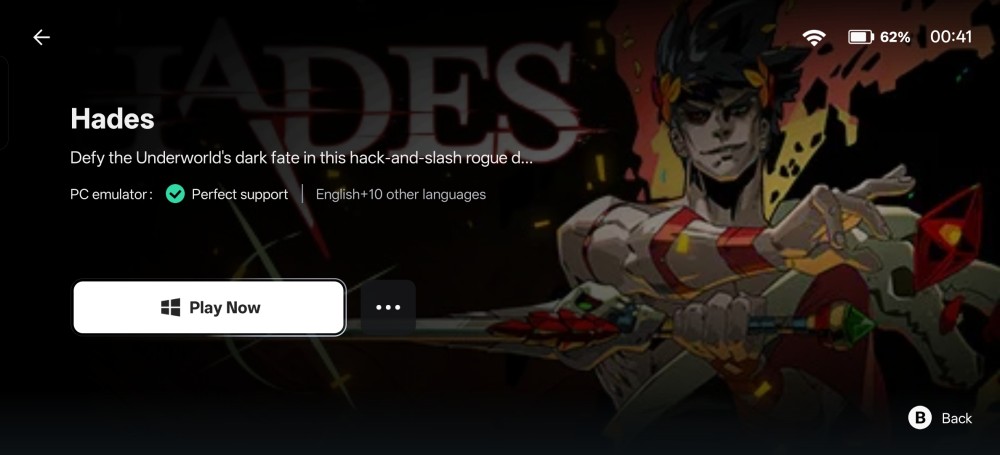
Once you install the app, it’s time to set it up by first signing in to your Steam account and then downloading games. Once you have a game installed, you can try to run it directly. Depending on your luck, this can either work just fine, or you might have to go to settings and try to tinker.
GameHub sometimes tells you whether that game is bound to run well or not, thanks to community-powered reports.
—
Should You Do It?
In all honesty, I was very surprised by the results. From all games I tried so far, The Witcher 3, Hades, Liftoff Micro Drones, Hollow Knight, Guacamelee 2, Limbo, and Super Meat Boy, I only had issues with the last one, missing audio. Even The Witcher 3 worked, a massive AAA-game that won multiple prizes. That one was the only game that didn’t run at 60 fps but the fact that run is already a miracle.
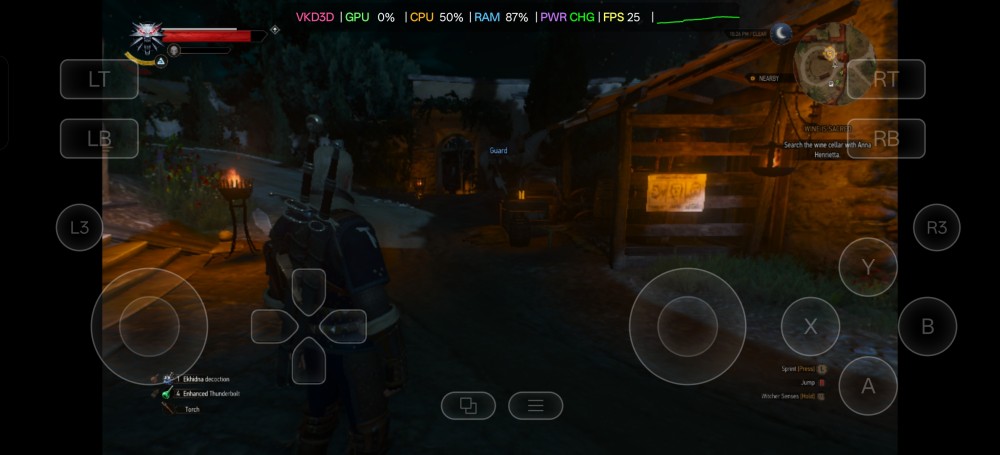
If you like Indie Games (there are plenty of amazing games out there, I’m hooked on Hades, right now), there’s a high chance that GameHub is the right fit for you.
There is some tinkering required for some games to work, but once they do, it just feels like native PC gaming. You even have games saves cloud sync with Steam.
Just a final note: you should cap the frame rate at 60fps and set the games to 720p for optimal battery life and heat control. If you do, battery life is pretty good, considering the emulation overhead (I would love to compare with the Xbox Ally X).
—
How Does It Stack Against the Ally X?
Comparing a smartphone to an ROG Ally X is like comparing an electric scooter to a monster truck. Sure, they both technically get you down the road, but how do you even begin to compare them? There are a few things that I can infer from my experience, but still, there a few things that I would love to compare side-by-side in the unlikely scenario I’m picked for this month’s Tech Tryout.
1. Display & Visuals
High-end smartphones typically come OLED panels with incredible contrast and amazing color reproduction. I can directly compare my phone with the Xbox Ally X, but looking at the spec sheet, I’m confident in saying that the games look better on my OnePlus 13 when you only compare the quality of the display.
However, since you sometimes need to dial back the visual options for the games to run smoothly, you probably can get more details on the Ally X, especially with more modern titles.
2. Battery Life & Power
I have no way of comparing the two systems, but I was very surprised at how well the OnePlus 13 handled all the games I tried, even on the battery side of things.
Still, this is still a phone. Once you start moving to more demanding games, the Ally X will definitely win the fight.
3. Library & Ease of Use
This is where the Xbox Ally X completely takes the lead, no questions asked. While I was surprised by the number of games that ran on my OnePlus 13, I was careful about the games I tried. I’m also limited to Steam Games. With the Ally X, on the other hand, I can virtually run any PC game and also take advantage of the Xbox Game Pass.
Let me know in the comments below if you give this a try, I would love to hear about your experience. Also, I’d love to hear what you thought of this content and whether you want to see me posting Parts 2 and 3, covering game streaming options.

