The ROG Xbox Ally X is the successor to 2024’s ROG Ally X, with a refreshed AMD Z2 Extreme that promises an increase of around 10-20% frame rate in AAA titles. On paper, that makes the Xbox Ally X a worthy contender to become one of the most powerful PC Gaming Handhelds on the market. But does it live up to its potential? I hope I’m able to answer that question by the end of this review.
Specs-wise, there isn’t much more to highlight other than the improved processor, but ROG was kind enough to prepare a summary.
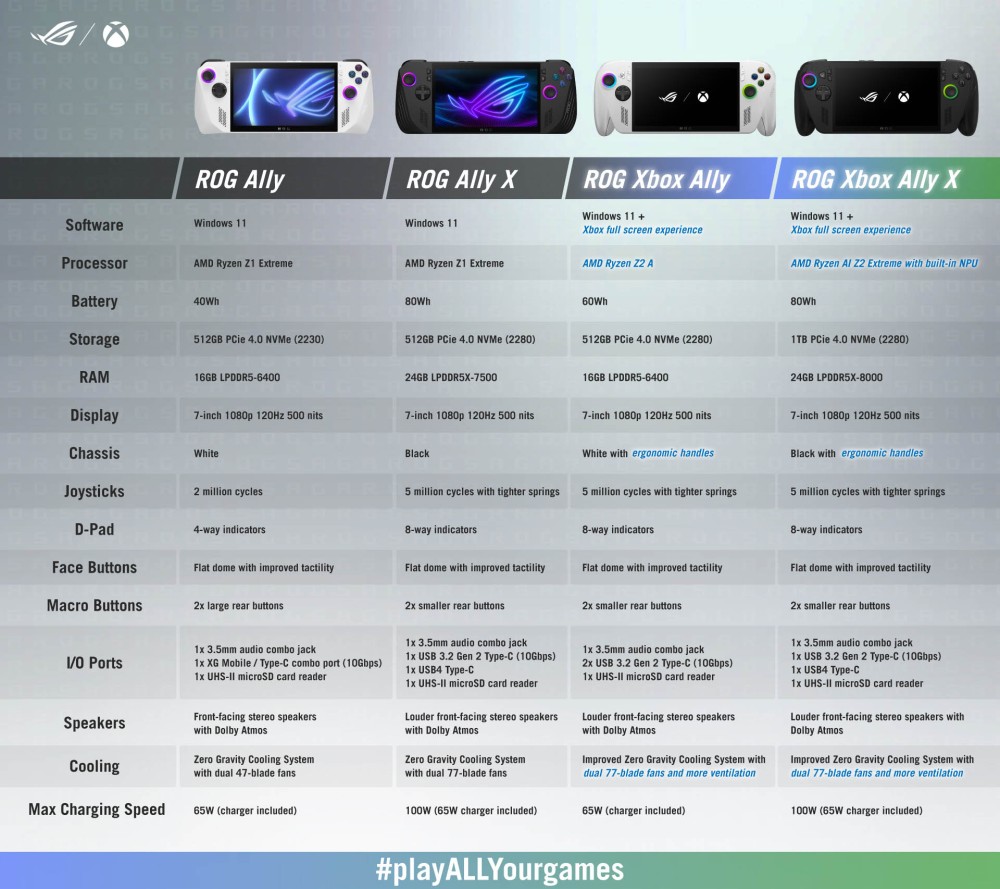
Source: https://rog.asus.com/articles/rog-ally/rog-ally-vs-rog-xbox-ally-and-rog-xbox-ally-x-all-the-improvements-in-the-newest-rog-gaming-handhelds/
As you can see, the only other hardware improvements were in terms of ergonomics and slightly improved ventilation. That’s not criticism. The 2024 Ally X already had some solid specs: 24GB of LPDDR5X at 8,000 MT/s, a beefy 80Wh battery, and a 7” 1080p 120Hz display (that I would’ve liked to see upgraded to a brighter HDR OLED panel).
What made the headlines however, wasn’t the hardware but rather the new name and the software improvements that came along with it — the Xbox Full Screen Experience.
It is impossible to review the ROG Ally X without addressing the irony of this situation: the PC gaming handheld category exists only because a brand (Valve) wanted to escape Windows — to help consumers reduce reliance on Windows as the default PC gaming platform.
It is almost comical, then, that Microsoft’s response is to chase the very category created to free gamers from them, slapping “Xbox” branding on third-party hardware and hoping we forget that the reason we all want handhelds in the first place is because Valve showed us they could work without the bloat of Redond. And as you’ll see later in the review even Microsoft seems to agree.
Unboxing: Brands love the EU
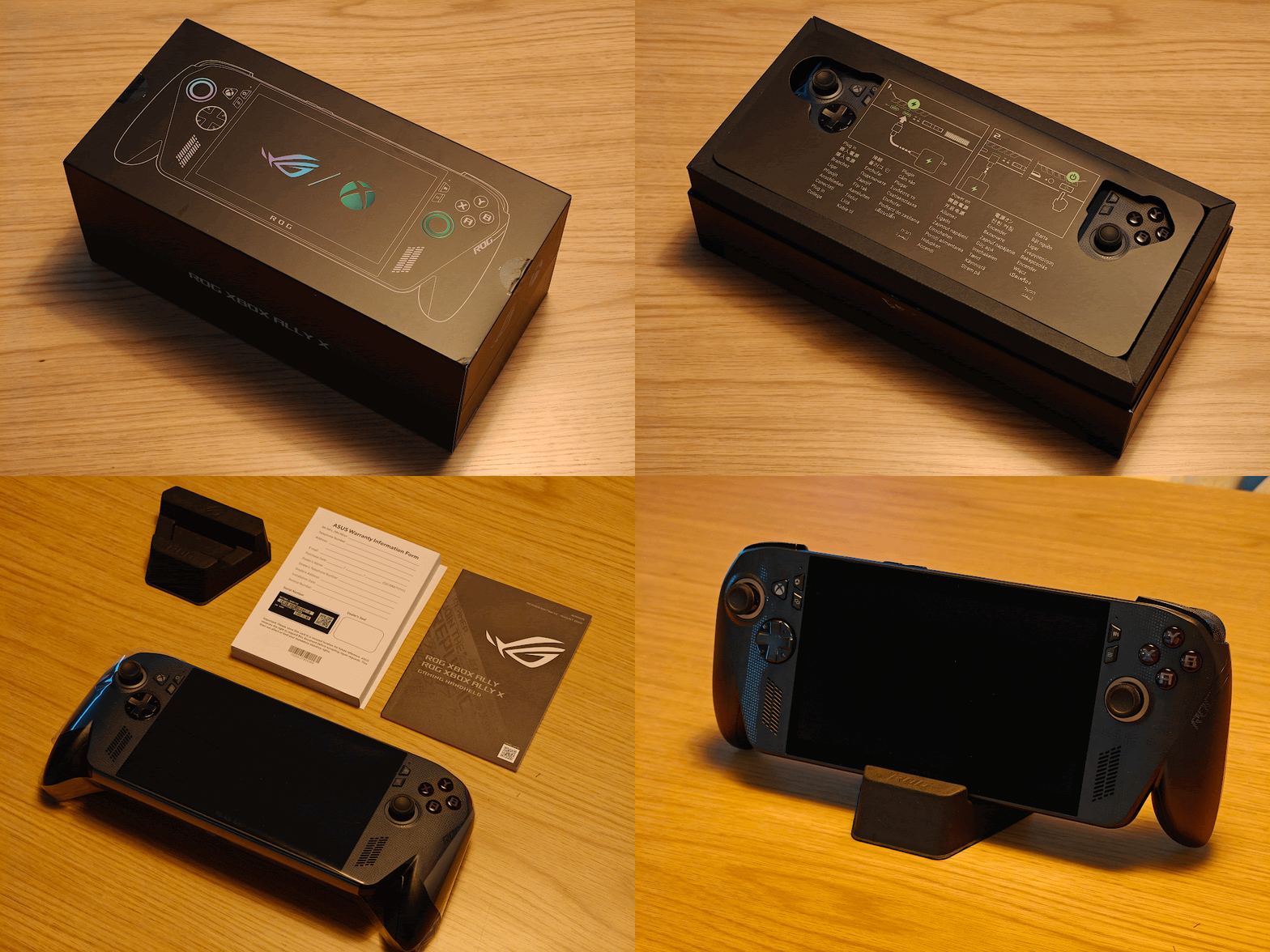
The unboxing experience couldn’t be more straightforward. Peel the stickers on both sides, raise the lid, and you’re greeted by a card instructing you how to charge the console before turning it on for the first time. That’s particularly funny in the EU… because the console doesn’t come with a charger inside the box.
Thankfully, I have plenty of compatible chargers (and a power bank) to save the day, but if you’re considering buying the Xbox Ally X in the EU, make sure you have a PD-compliant USB-C fast charger.
What surprised me though was the small ROG-branded stand hidden under the lid. Despite being made of cardboard, it’s pretty sturdy and is a nice addition that doesn’t cost the brand much.
Before even turning on the handheld, I decided to apply the skin and case I had already bought from dbrand.
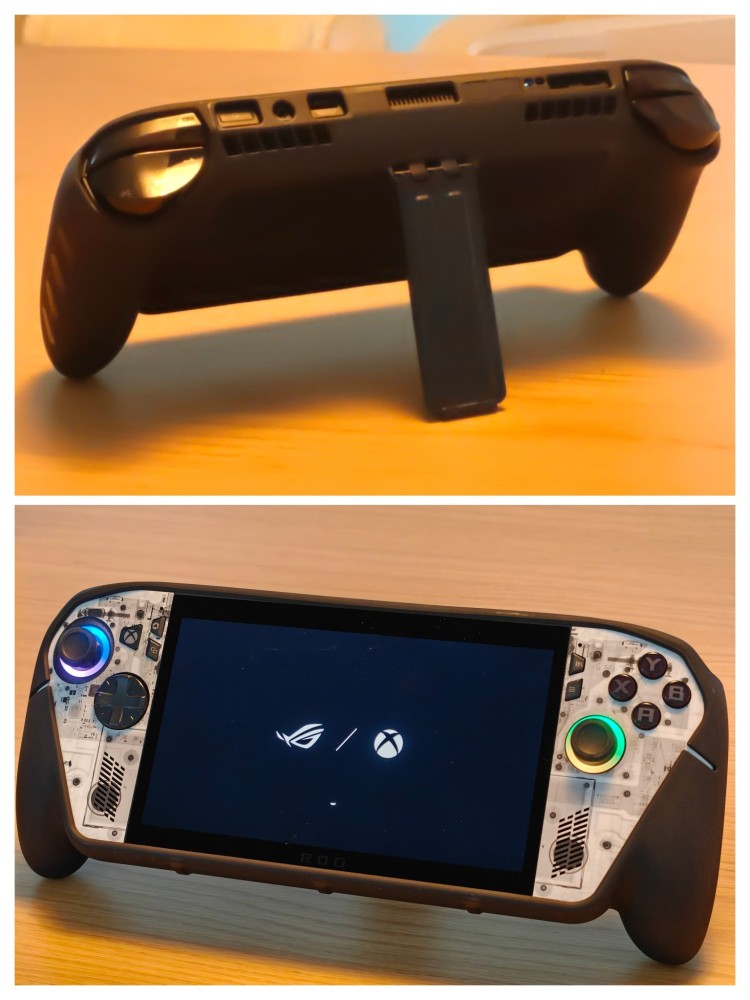
That turned out to be a bad idea because the case fits very snuggly and I completely forgot I had also bought a 2TB NVMe to upgrade to and install another OS: Bazzite.
The “Xbox” Illusion: A Setup Nightmare
I used air-quotes in the review’s title because, despite the promise the name tries to sell — a console-like experience —, the reality is that it quickly comes crumbling down once you turn on the device.
I had mentioned in a previous thread that the first thing I would do was to upgrade the Ally X to a fresh 2TB NVMe and install Bazzite, a Linux-powered OS that does its best to give you a similar experience to Valve’s SteamOS. But, because the dbrand KillSwitch case is so hard to remove, I decided to give it a chance. In all honesty, I shouldn’t have.
The setup process is, frankly, insulting to the hardware. Instead of a slick, console-like onboarding, you are thrown into the standard, bloat-filled Windows 11 OOBE (Out of Box Experience).
I’m sure I’m missing some of the screens, but among others, you have screens for.
setting a language, your country, your keyboard scheme, connecting to the Wi-Fi (I had to reboot to actually get a connection), agreeing to the terms, setting a name for the device, signing in to your Microsoft account (without an option to skip it), configuring the fingerprint sensor (on the power key), setting a PIN, accepting / rejecting 5 different privacy settings, signing up for an ASUS account, and signing up for Game Pass Premium.
Does that sound like a “console-like experience” to you? Because to me it clearly doesn’t. And that’s not even the worst part. Once I finally got past the login, the device started an update process. It churned for 1 hour and 30 minutes, only to fail at the very end with a generic error and a “Try Again” button that wouldn’t work. I had to click skip, hoping for the best.
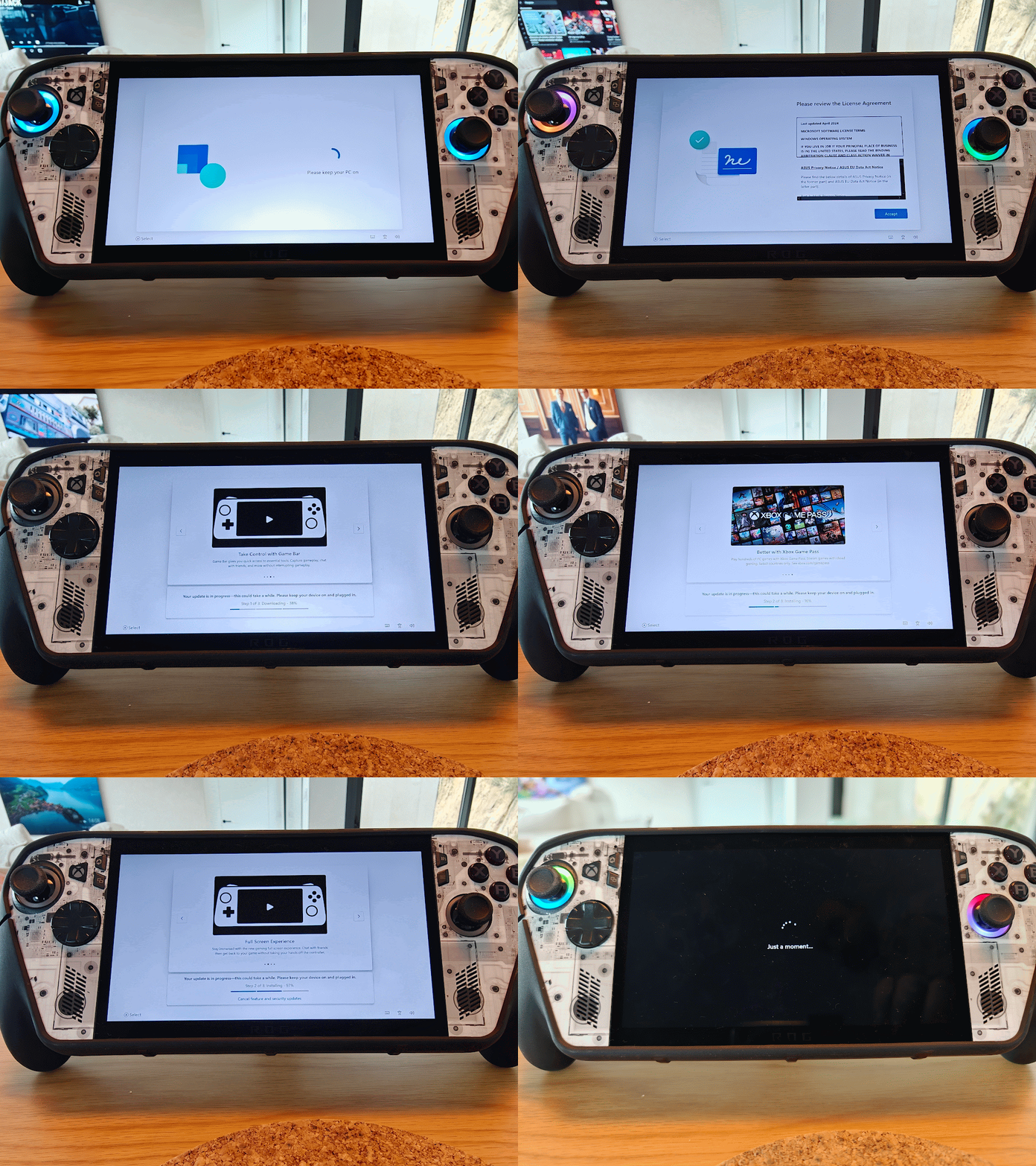
If the failed update wasn’t bad enough, what followed was worse. I was greeted by the spinning dots of the “Just a Moment” screen. And they kept spinning. At this point, I gave up and decided to go through the hassle of removing the dbrand case and installing the 2TB NVMe to install Bazzite.
Bazzite or Windows: Why Not Both?
As much as I was excited to install Bazzite, I knew that moving to the Linux-based distro wasn’t without compromises. While SteamOS (and by extension Bazzite) has made PC gaming on Linux a much smoother experience, there are still games that may not run, in particular due to anti-cheat systems.
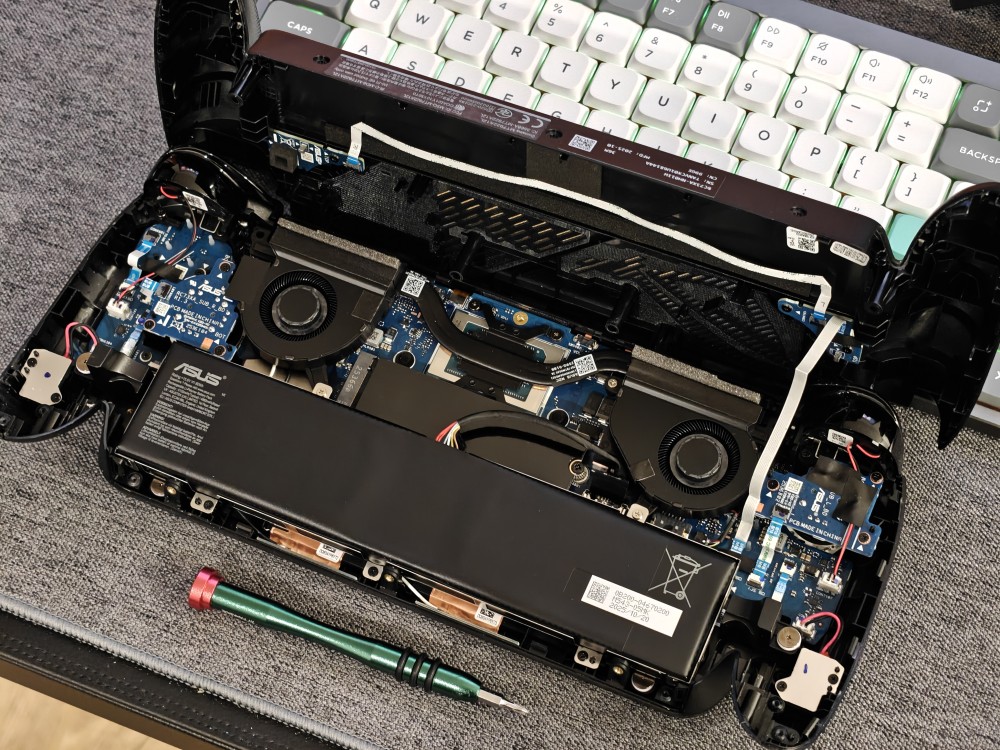
I would also be losing access to three months of Xbox Game Pass Premium, a subscription that lets you play over 200 titles, some of which I was looking forward to. Still, I was undeterred, so I opened the Ally X, swapped the NVMe, and installed Bazzite.
A sidenote: If you ever re-installed Windows from a USB drive, you know how to install Bazzite. The process is super easy to go through. You download the ISO, use an app to “burn” it to the USB drive, plug it in, go to BIOS and boot from the drive. From there, it’s just following the setup steps.
Once installed, the setup process couldn’t be any more different than the one for Windows 11. A handful of screens to set up language, timezone and Wi-Fi and you’re ready to sign in with your Steam account, this time with a QR Code rather than by typing your email and password on a tiny screen.
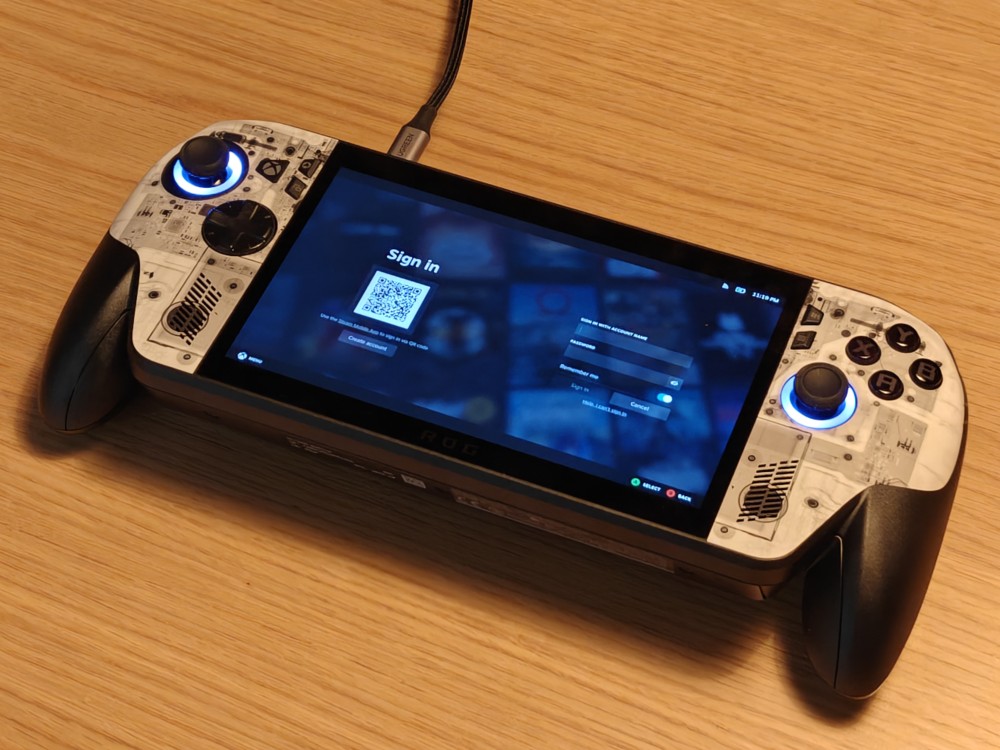
Once you’re in, everything feels familiar if you ever used Steam on Big Picture mode (and if you’re a PC gamer, you most certainly have). Everything is easy to reach, navigation is intuitive and most if not all settings that you need on a regular basis are available without jumping to desktop mode (in comparison, to install app updates on Windows 11, you need to jump to Desktop Mode and visit Microsoft Store).
As I was getting to know the inner workings of Bazzite, I found out a nice “Reboot into Windows” button that got me thinking about dual-booting. After a quick glance at some YouTube tutorials, I found the needed steps to get Windows 11 and Bazzite to coexist on the same device.
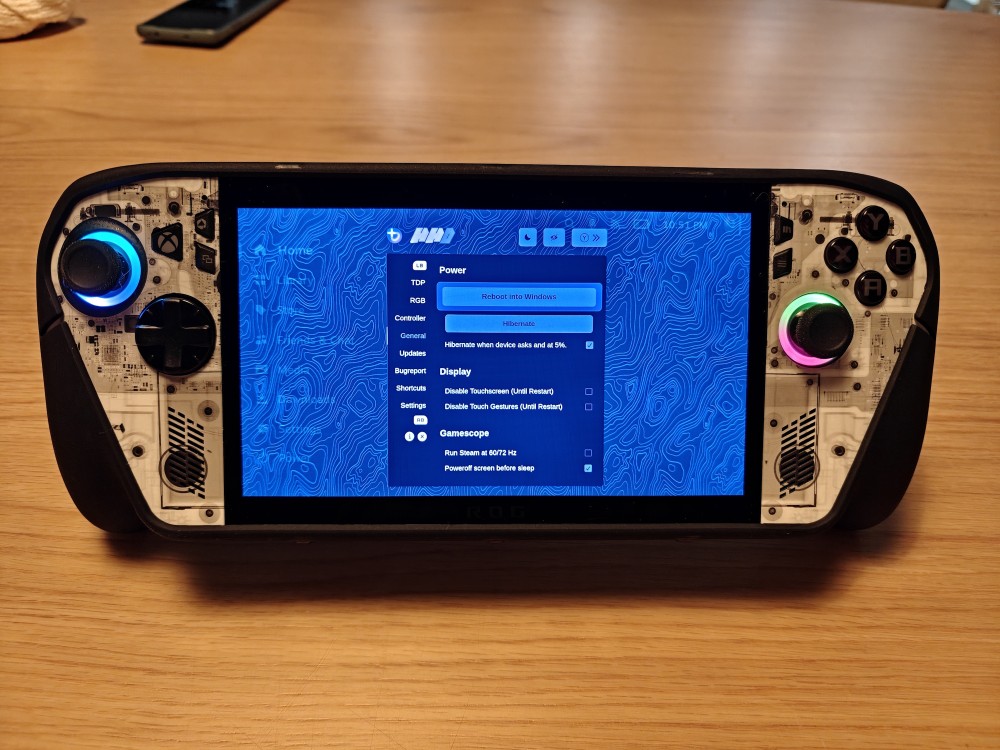
That meant one final attempt at trying to go through the Windows 11 onboarding process. I booted into BIOS and re-installed Windows through the Recovery menu. The download was painfully slow (again, close to 2 hours), but it finally booted into the OOBE. I went through the needlessly long list of setup screens to find myself again at that dreaded “Just a Moment” screen.
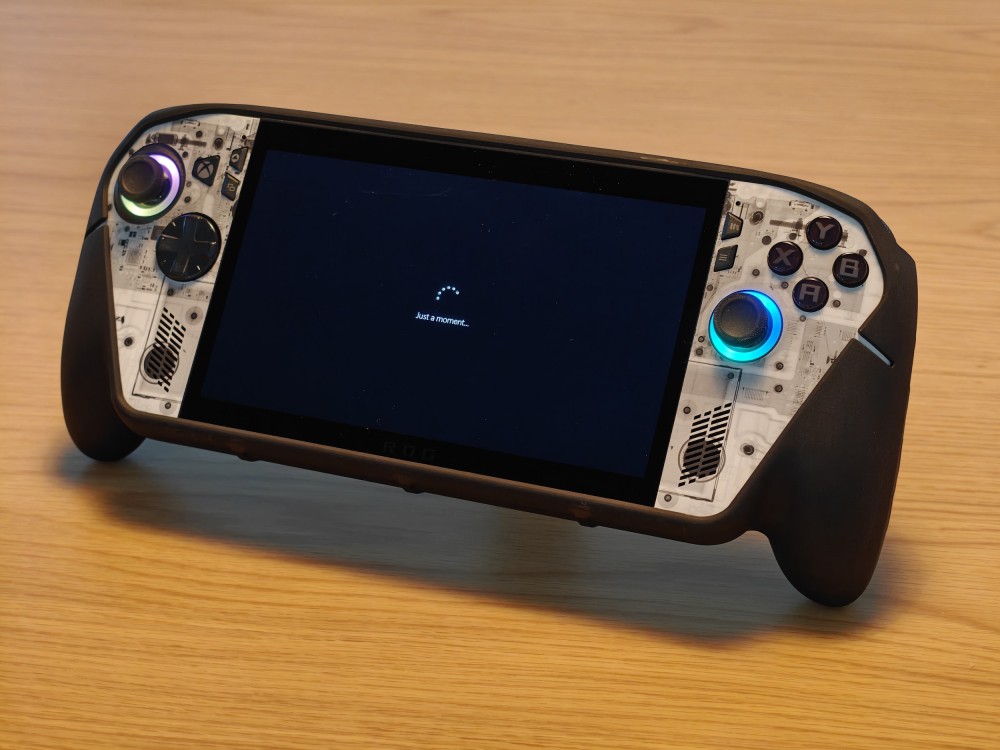
I waited. I waited some more. I tried force-rebooting only to find myself in the same “Just a Moment” screen. I genuinely thought the OS was corrupted. At one point, I was so convinced the unit was bricked that I actually tried to reinstall the OS a second time. Nothing worked. In a last-ditch effort, I left the device on the “Just a Moment” screen overnight.
By morning, it had finally passed. A 1-hour-and-30-minute update during the onboarding process is bad enough, but this enough to make you mad. Still, I was finally able to finish the setup process and boot into Windows for the first time.
Another sidenote: I wanted to have this review ready almost a week ago. The reason why I ended up pushing it back was precisely the Windows 11 Setup. For a couple of days I was struggling to figure out what was wrong, not even able to finish the initial setup. I did two full OS reinstalls through BIOS recovery (which also takes ages to take place) and after hours on Reddit trying to find what was wrong I even considered installing a fresh Windows 11 copy and then trying to add the additional software manually.
The fact of the matter is, once you finish the painful setup process, the Windows 11 experience on the Xbox Ally X is quite positive, thanks to Xbox full screen experience. The boot screen is classic Windows, but once you log in, you’re greeted with a UI that puts front and center.
With both OS’ set up, it was finally the time to install some games in both SteamOS and Xbox full screen experience.
For Bazzite, I installed a series of games from my extensive Steam collection (please don’t tell my wife) and a few games through Epic Store.
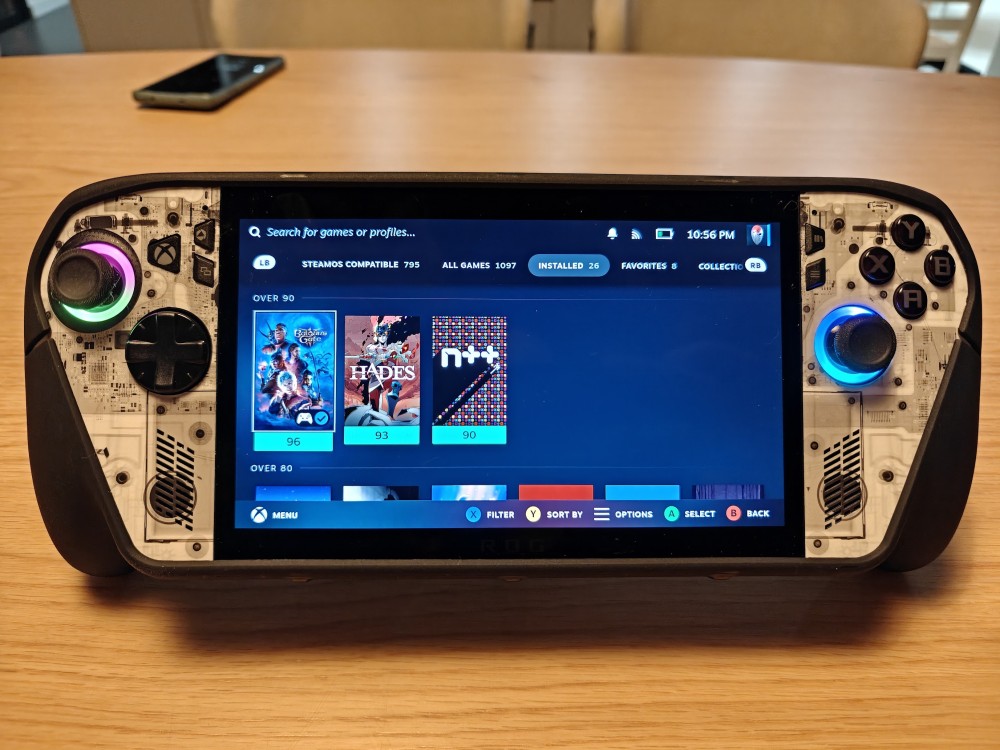
The cool thing about Steam here is that it not only filters the games in your library (and the store) that are SteamOS compatible, but it also gives clear information on what works great and what might not be perfect.
On Windows, I installed a handful of games through Game Pass. In both cases, I found myself gravitating towards indie games or games that are still enjoyable through short game runs.
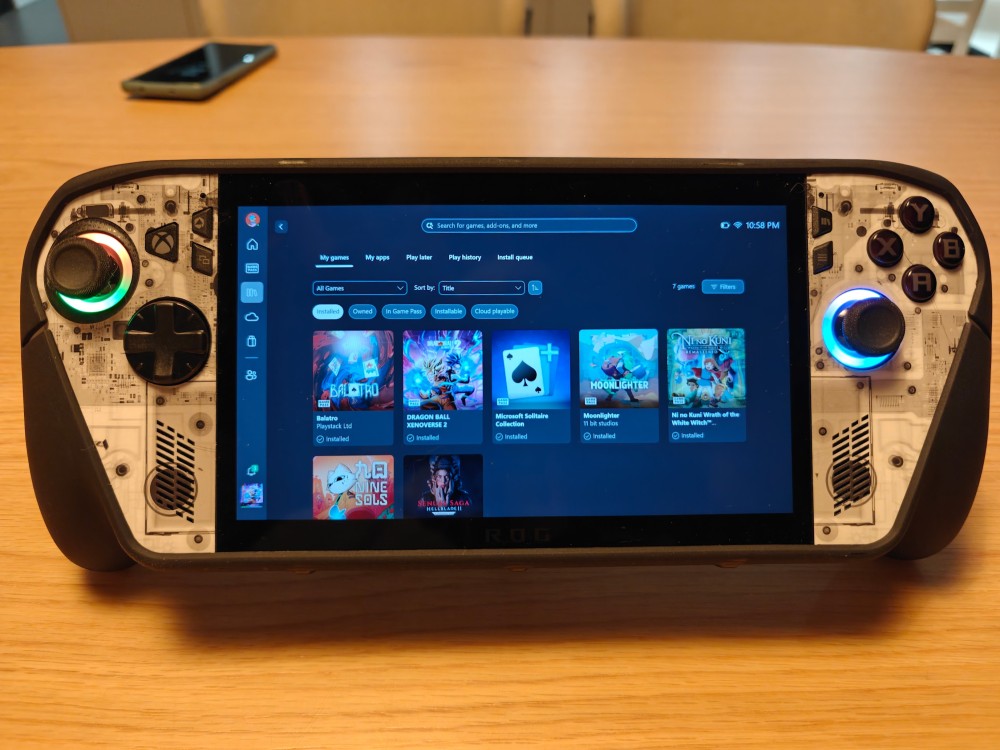
These are also the types of games I was trying on my phone for the GameHub testing, so this will give me a good opportunity to compare the two options side by side later on.
On both operating systems, I also installed Cyberpunk 2077 through Epic Store. This is the best AAA game I can test across the two OS: despite being a few years old, it’s still considered a demanding game, with a thorough implementation of Ray Tracing and support for AMD’s FSR, including frame-gen.
More importantly, it has a built-in benchmark tool that allows for a perfect apples-to-apples comparison. With games installed, it was finally time to hold the console and see how it fills
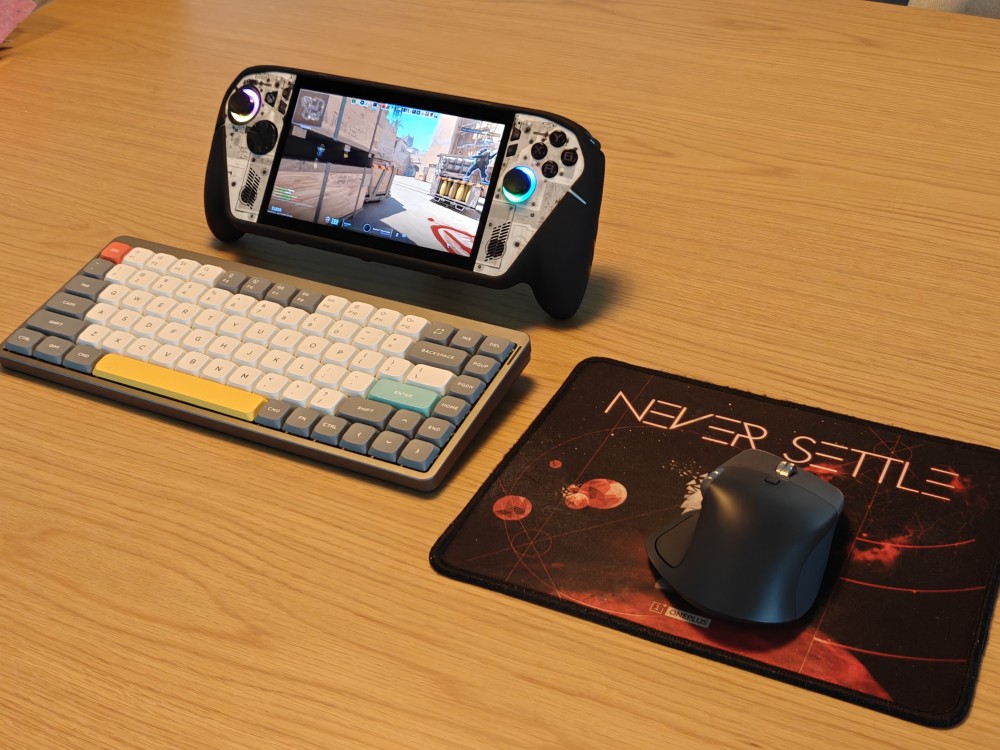
P.S. - Of course, I also installed Counter Strike 2, to test if it works for @nikkierodrigues. Spoiler alert, it does.
A Second Attempt at a First Impression
When you first pick up the ROG Xbox Ally X, the immediate sensation is one of substance. This isn’t a device trying to be slim; it is unapologetically BIG. It won’t fool you for a smartphone with controllers, that’s for sure. It feels like an over-stretched Xbox Controller with a screen in the middle.
It is a massive device, but surprisingly, still comfortable to hold.
The grips allow the device to sit naturally in your palms, much like an Xbox Elite controller. In my testing, the weight distribution meant that extended sessions (1–2 hours) were possible without the wrist pain or finger numbness often associated with flat handhelds. And let’s not forget, we’re talking about a 715g device.
Despite the fantastic work, in hand feel, at a $1,000 price point, I would expect better build quality. While the textured surface featuring micro-ROG lettering is a nice tactile touch, the plastics feel somewhat underwhelming for a premium flagship device.
The dbrand’s Killswitch case helps balance that. The case adds a wonderfully grippy texture, a snug fit, and a built-in kickstand that transforms the device’s usability.
The screen is a point of contention. On paper, it is solid: a 7-inch 1080p panel with a 120Hz refresh rate and FreeSync Premium VRR. The brightness hits 500 nits, and the Gorilla Glass DXC/Victus coating does an excellent job of cutting down reflections.
However, in 2026, the bezels are simply too big. For a device of this physical footprint, it feels like it deserved an 8-inch display to fill that space. Furthermore, while the LCD looks good color-wise, the lack of an OLED panel at this price point is a tough pill to swallow when competitors are offering deep blacks and infinite contrast for less.
Gaming, Because That’s What Really Matters
Despite having read a lot about this and other gaming handhelds before applying to this Tech Tryout, I still had a hard time believing this form factor could be something that made sense for a gamer. Traveling with a bulky, 715g console made me wonder about the use case scenarios. But the truth is, I see it now. It’s not just about gaming on-the-go,
- it’s also about those times when your significant other is watching a show on TV you don’t love, but still want to be by their side,
- it’s about playing for a short bit before going to bed instead of firing up your PC and sitting at your desk,
- simply put, it’s about making gaming easier.
Despite installing Cyberpunk 2077 for my Windows vs Bazzite testing, I don’t think this is the right game for this form factor. I keep finding myself gravitating towards more casual games. Don’t get me wrong, the Xbox Ally X is more than capable of running this type of games, beyond 60 fps, or even more if you tweak it further.
No. The reason why I prefer indie games, platformers, and other “casual” games over more story driven, more formal games is simply because I see the Ally X as my partner in crime for short gaming periods. Games where I can pause without feeling I left the action at worst time possible.
But that’s me. There’s no right or wrong games to play in this form factor. Every game I threw at it worked, and VRR helps make lower frame rates bearable, so even 30 FPS can be enjoyable. As long as you’re willing to tweak the settings, you would be hard pressed to find a game that doesn’t run on this hardware.
But let’s test the hypothesis. Let’s now turn our attention to the Cyberpunk 2077 vs Cyberpunk 2077 benchmark test and see how the game runs on both Windows 11 and Bazzite. With both games installed through Epic Store in the latest version, both on battery, both on Turbo, only one thing is impacting the performance: the operating system.
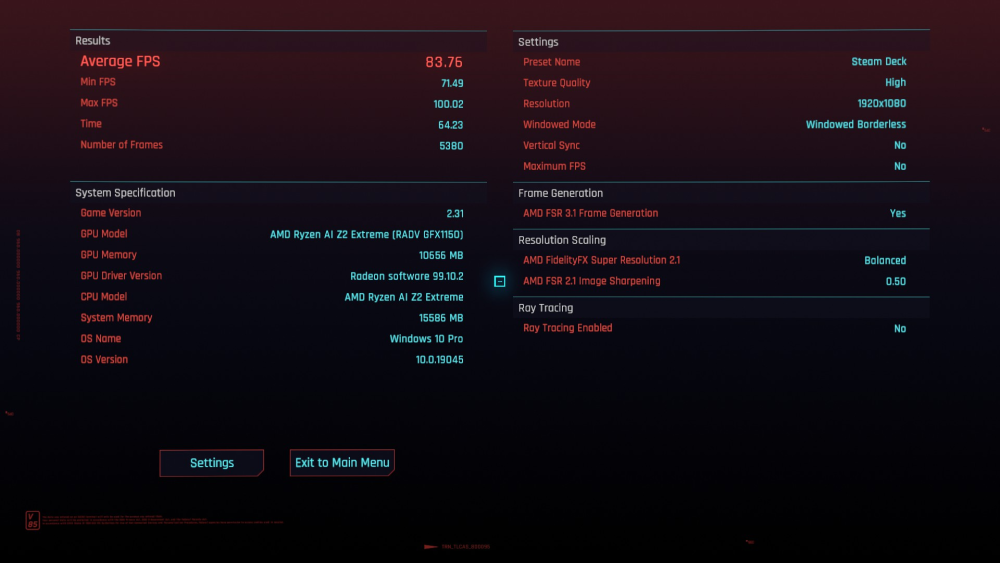
The in-game benchmark hit an average of 83.76 fps (above) on Bazzite vs. 80.47 fps (below) on Windows 11.
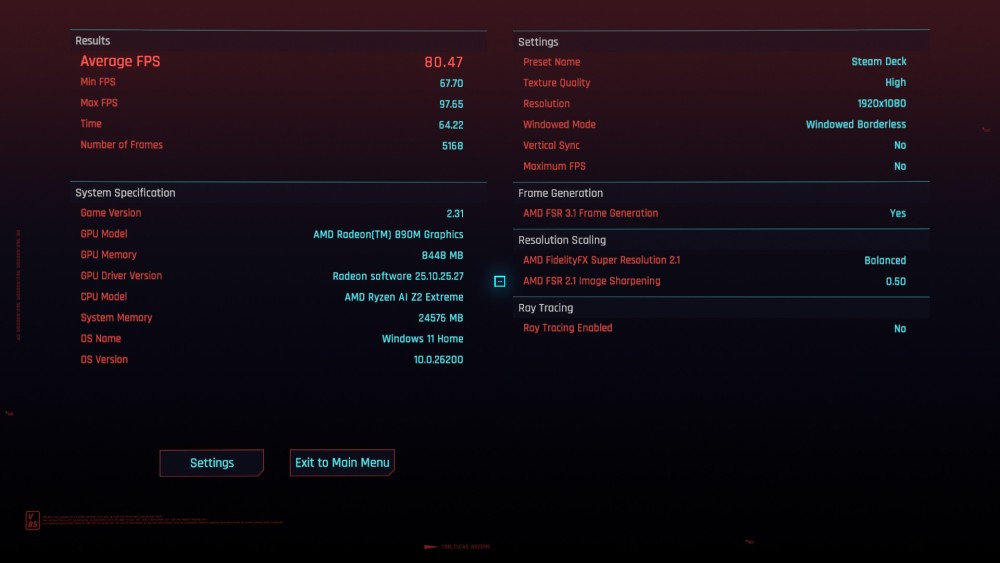
A 4.1% increase in performance may not sound much, but this is “free” fps, so any improvements are welcome. I’m curious to test this across more games, but other reviewers have already reported a consistent improvement in performance on Bazzite vs. Windows.
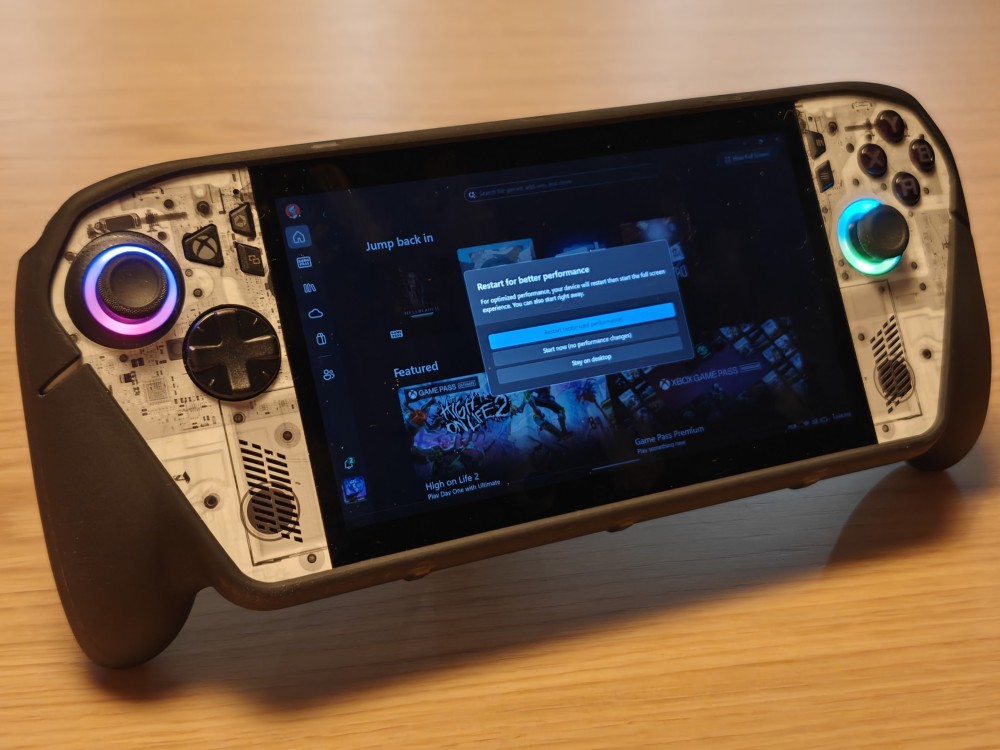
And that goes back to something I mentioned earlier… even Microsoft doesn’t trust Microsoft. When you close Desktop Mode on Windows 11, you’re invited to restart the Ally X so that the extra bloat that was loaded gets removed from memory. If that’s not telling, I don’t know what is.
Battery and Extended Testing: A Matter For Another Day
As much as I would love giving you objective data about the console behavior on battery and a bigger number of games, this review is already long overdue. I will post a separate thread covering battery life and a wider number of games.
One thing worth understanding is how the operating system impacts the battery performance. We saw that performance was slightly better on Bazzite, but battery life can be an entirely different matter. Do both operating systems hold up well, or does one show an advantage? I don’t know yet, but I can’t wait to find out. Either way, the subjective experience of the battery has been beyond positive, especially when running less demanding games. The Ally X just keeps on going.
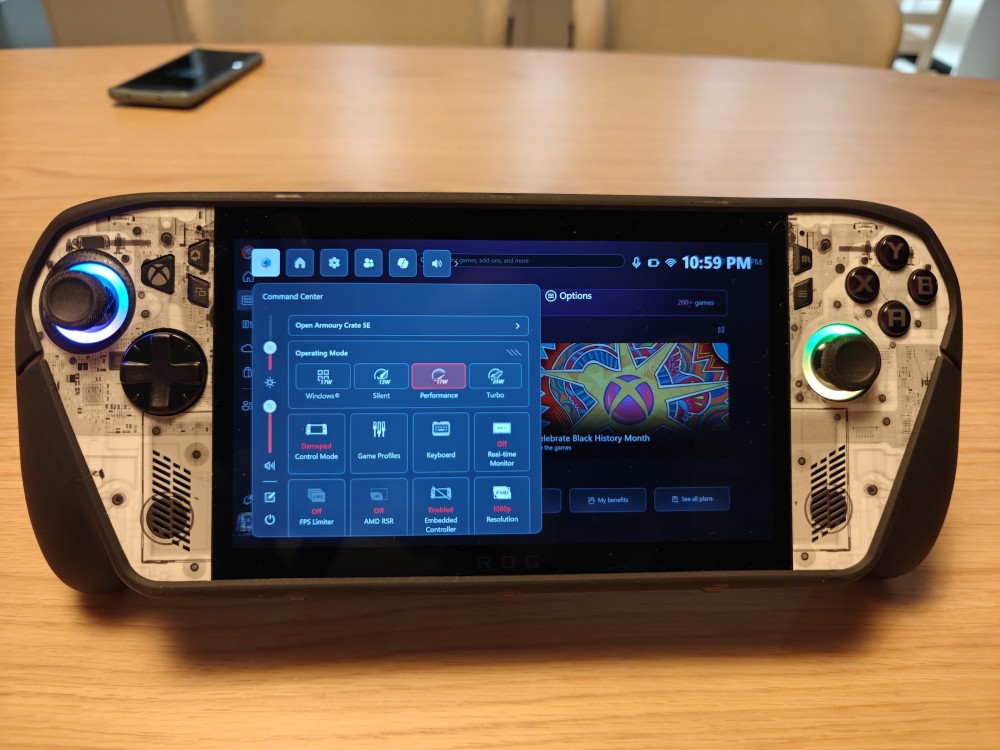
It’s also worth exploring the three power profiles, Silent (13W), Performance (17W) and Turbo (25/35W). I tend to keep it as low as possible and then adjust based on the game I’m playing. This keeps the battery and the thermals happy.
So, what’s next?
You can expect a follow-up thread with more games being tested, with my findings about performance and battery life. You can also expect a Phone vs. Handheld deep dive, comparing the two options and showing how much you can squeeze from a phone these days.
Conclusion: The “Xbox” Portable We (Almost) Wanted
At the start of this review, I asked if the ROG Xbox Ally X lives up to its potential. The answer is complicated: The hardware does, but the “Xbox” promise does not.
There is no denying that the AMD Z2 Extreme makes this one of the most capable handhelds money can buy in 2026. It chews through AAA titles that struggle on older devices, the ergonomics are fantastic for long sessions, and the VRR screen, despite lacking OLED, is buttery smooth.
However, calling this an “Xbox” device feels like a marketing trap. A true console experience implies “plug and play.” What we have here is “plug, update for 90 minutes, crash, troubleshoot, update again, and then play.” The fact that I had a smoother experience wiping the OS and installing Linux (Bazzite) than I did setting up the native “Xbox Full Screen Experience” says everything you need to know about the current state of Windows on handhelds.
Should you buy it?
Yes, if: You are a PC enthusiast who wants the absolute best performance on the go, you subscribe to Game Pass, and you aren’t afraid of tinkering with drivers, updates, or dual-booting.
No, if: You want the seamless simplicity of a Nintendo Switch or a Steam Deck OLED, or if you find the idea of paying $1,000 for an LCD screen in 2026 unacceptable.
The ROG Xbox Ally X is a beast of a machine trapped in a cage of software bureaucracy. It has the potential to be the king of handhelds, but right now, you have to work surprisingly hard to unlock it.
Pros
Performance King: The Z2 Extreme offers a genuine leap over the 2024 generation.
Ergonomics: Surprisingly comfortable for 715g; excellent grips.
VRR Display: 120Hz FreeSync makes drops in frame rate imperceptible.
Battery: The 80Wh cell remains a standout feature for the category.
Cons
The Setup Nightmare: The OOBE is broken, bloated, and frustrating.
Screen Tech: At this price point, the lack of OLED is a glaring omission.
“Xbox” Branding: Misleading; it is still very much a Windows PC with all the associated baggage.
Price: $1,000 asks a lot for a device with cheap-feeling plastics.
Review Score: 7.5/10
(9/10 for hardware, 4.5/10 for software, the Review Score would be close to 9/10 if I considered Bazzite as the OS)

