WHEN SMART 150 INCHES CHANGE THE PROSPECTIVE
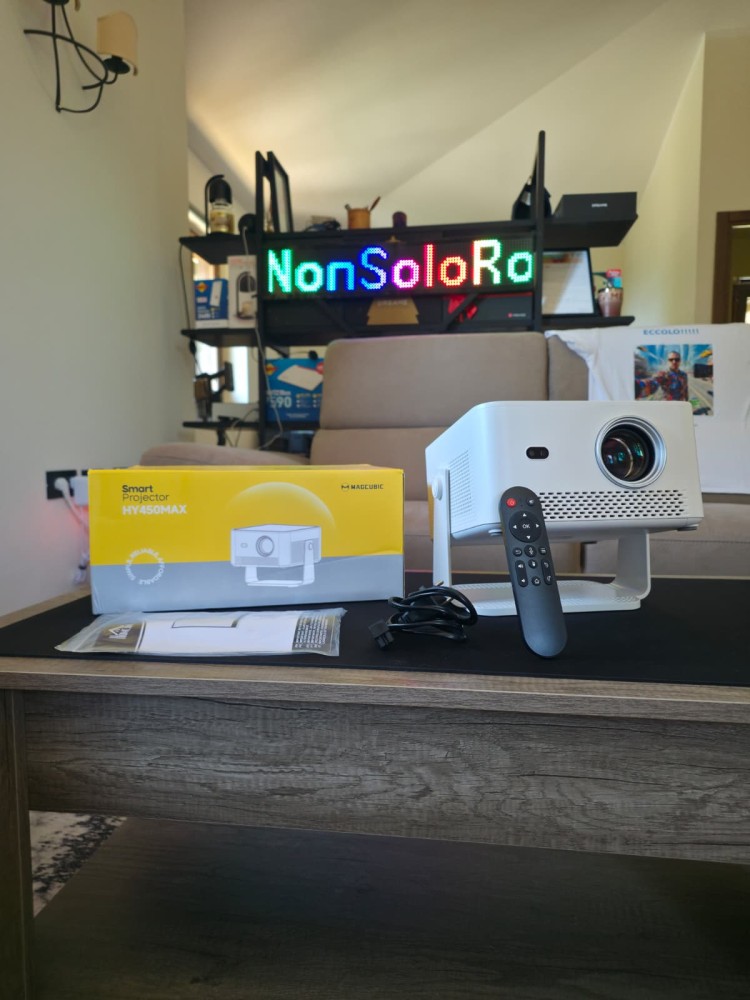
The MAGCUBIC HY450 Max is a portable smart LCD projector with an LED light source, native Full HD resolution, Android 14 operating system and a series of automatic features designed to make installation and use easier.
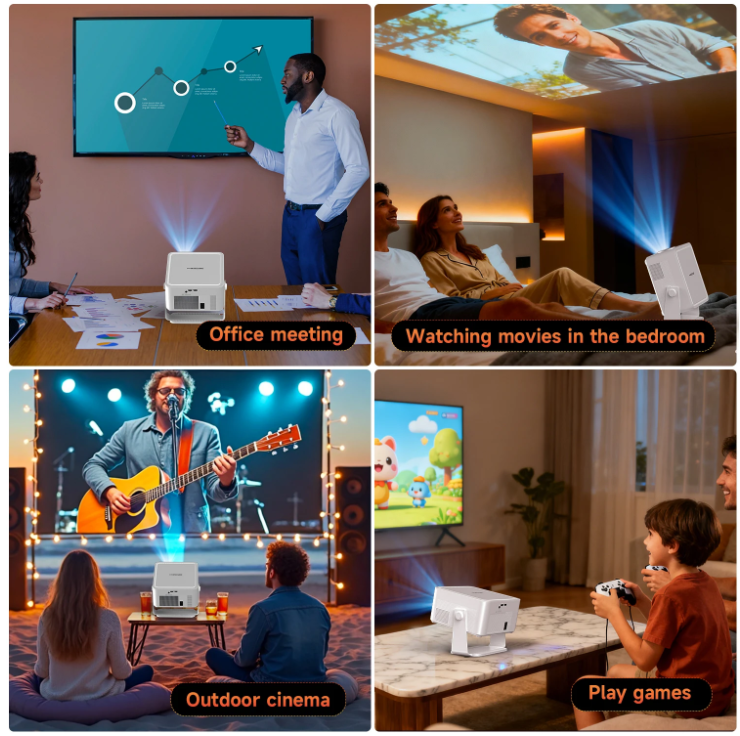
The concept of portability, in this case, does not mean battery-powered operation. The HY450 Max must be connected to a power outlet, but it does not necessarily require a fixed installation or an external player: simply carry it into the room, place it on a stable surface, connect the power supply and point it toward a wall or a screen. Android, Wi-Fi and the built-in speaker allow playback to begin without adding any other cables.
On paper we find 1,100 ANSI lumens, projection up to 150 inches, autofocus, automatic keystone correction, screen recognition, image adaptation, Wi-Fi 6, Bluetooth 5.4, a 15 W speaker and declared compatibility with content up to 8K. These are figures declared by the manufacturer and not measurements carried out directly. My test therefore tries to analyze how these characteristics translate into real-world use
Before entering into the analysis, a clarification is necessary: this is my first in-depth experience with a projector in this category. The evaluations derive from the tests I carried out directly, accompanied by comparison with the technical documentation and an in-depth study of the technologies, but they do not claim to replace the analysis of those who routinely work with these devices. Although I believe I have a good knowledge of TVs, I may not know some functions or may interpret certain behaviors differently. If anyone with greater experience should identify errors or aspects that require further investigation, they are naturally welcome in the comments, every correction or further explanation will help make this techno review more complete and accurate.
DESIGN AND BUILD
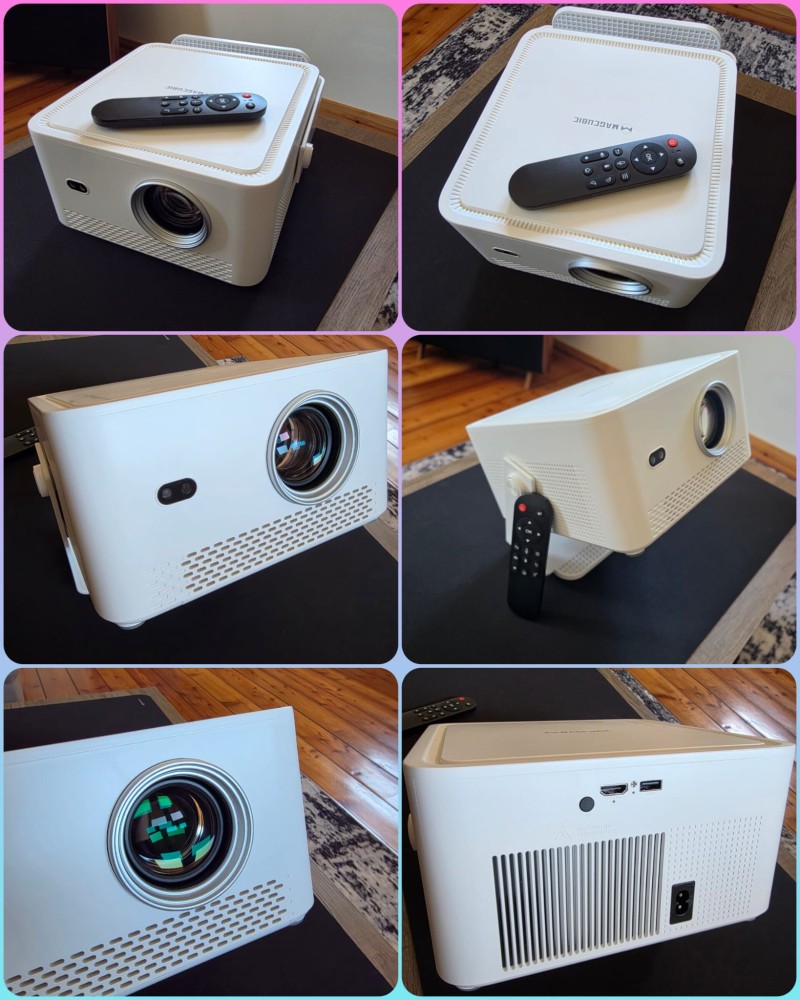
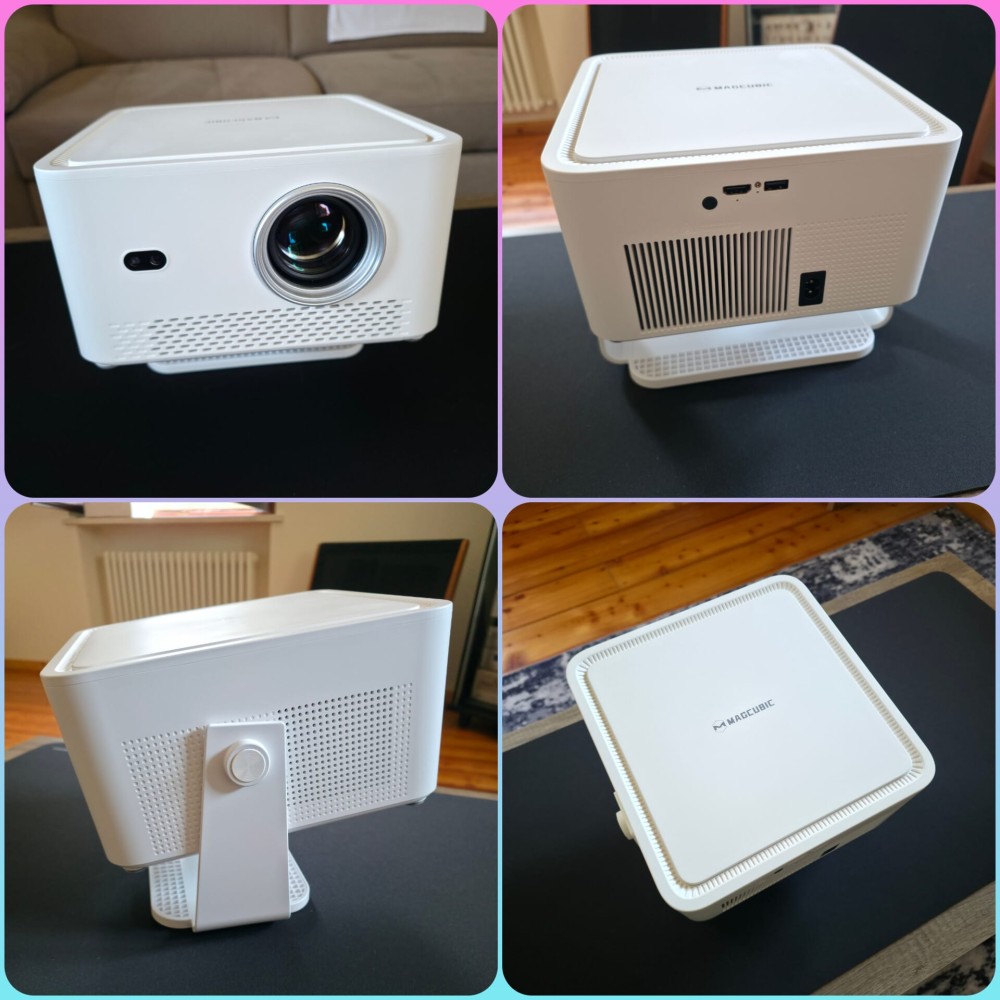
The MAGCUBIC HY450 Max has a modern and rather clean design. The white body has a square shape, with rounded corners, a matte finish and an essential front section dominated by the lens. The cooling grilles are integrated into the chassis without excessively altering the aesthetics.
The body measures approximately 230 × 240 × 127 mm and weighs just under 2.4 kg. It is therefore not a pocket-sized projector, but it is compact and light enough to be moved easily from one room to another and transported when needed, even while travelling and outdoors.
One of the most interesting elements of the design is the integrated adjustable stand. The projector is suspended inside a bracket structure that simultaneously functions as a support base and tilting system. It is possible to change the vertical direction of the projection. The foot has a wide support surface and keeps the body stable even when it is tilted.
The system therefore makes it possible to place the projector on a table, cabinet or shelf and direct the image toward the screen with just a few movements. Naturally, the greater the inclination, the greater the intervention required from digital keystone correction may become. The mechanical freedom of the stand therefore does not eliminate the advantage of a placement that is as perpendicular to the screen as possible.
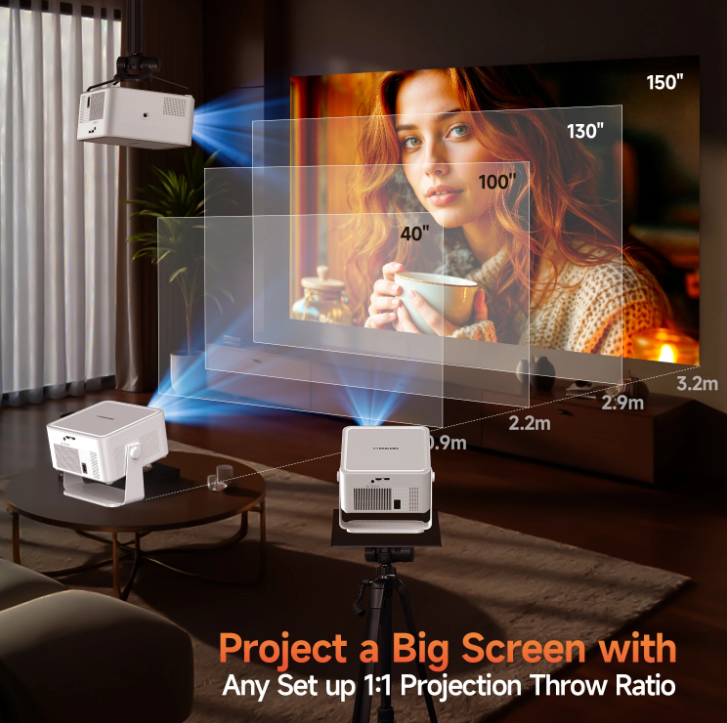
The declared throw ratio is 1.0:1. In practical terms, this means that the width of the image is approximately similar to the distance between the lens and the screen: to obtain a projection about 2.44 metres wide, such as the one corresponding to 110 inches in 16:9, approximately 2.44 metres of distance are required.
We are not dealing with a true ultra-short-throw projector, which can be placed a few centimetres from the wall, but with relatively short optics that are also suitable for rooms that are not enormous.
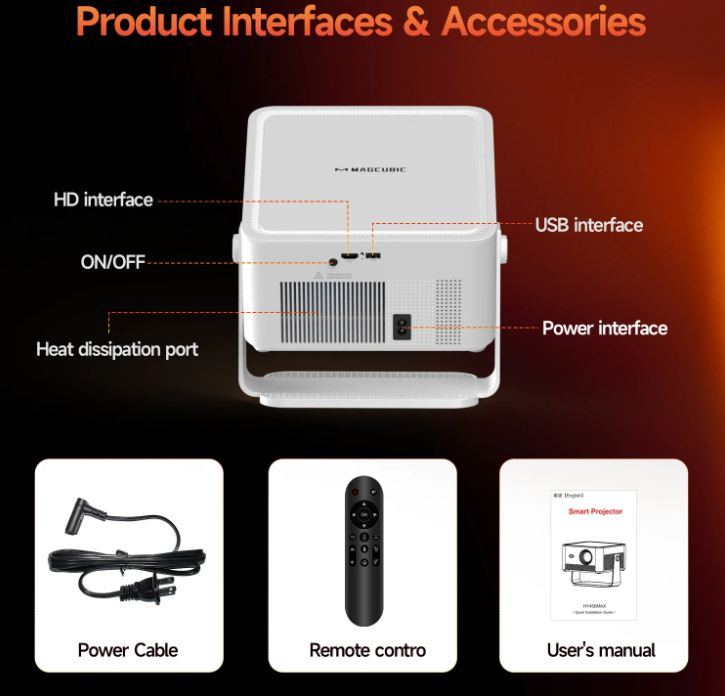
The physical equipment is essential: on the rear we find the power input, one HDMI port and one USB port. Android, Wi-Fi 6 and Bluetooth 5.4 complete the wireless connection possibilities.
It is important to keep the ventilation openings clear. The manual specifies that the device is neither waterproof nor protected against dust and recommends periodically cleaning the air intakes, because the accumulation of dirt may compromise cooling.
MY TEST CONFIGURATION
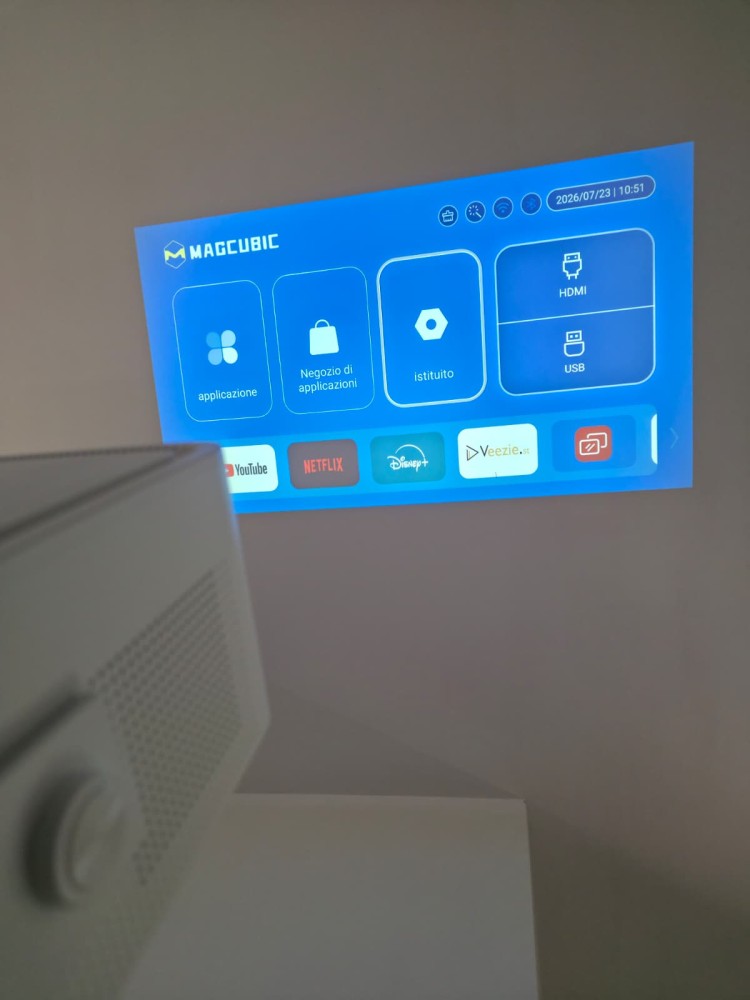
I used the MAGCUBIC HY450 Max with a 120-inch HOMCOM screen in 4:3 format, carrying out tests both in the dark and in the presence of ambient light.
The projector panel is natively in 16:9 format. By using the full width of a 120-inch 4:3 screen, the area that can actually be used in 16:9 corresponds to approximately 110 inches.
A 110-inch diagonal is already enough to completely change the perception of a film, a sporting event or even a simple presentation. The 150 inches represent the advertised maximum, but not necessarily the size at which the best balance between brightness, uniformity and definition is achieved.
The more the image is enlarged, in fact, the more the same amount of light is distributed over a large surface. Perceived brightness decreases and any limitations of the lens, focus and panel become more visible.
INSIDE THE TECHNOLOGY | LCD AND LED LIGHT SOURCE
“LCD” and “LED” do not describe the same part of the projector.
LCD indicates the technology used to build the image. Light passes through a liquid crystal panel, which modulates the individual pixels and generates the frame to be sent to the lens.
LED instead indicates the light source that produces the light required for projection.
Compared with traditional high-pressure lamps, an LED source generally offers almost immediate switching on and off, less degradation in the short term, lower power consumption and a much longer lifespan. MAGCUBIC declares up to 50,000 hours, but this value represents a theoretical estimate and not a guarantee of the lifespan of the entire projector.
Lamp projectors can reach high brightness levels and are still used in numerous professional contexts, but they require warm-up, generate more heat and involve periodic lamp replacement. Laser systems instead offer high brightness, rapid start-up, good stability and long life. They are particularly suitable for high-end installations, but they normally have higher costs and, in certain configurations, may show phenomena such as speckle, a sort of luminous graininess visible on some surfaces.
Then there is DLP technology, which uses a matrix of micromirrors instead of an LCD panel. It can offer a very compact image and good perceived sharpness, but in models with a colour wheel some people may see the so-called rainbow effect.
In the case of the HY450 Max, the LCD and LED combination prioritises durability, construction simplicity and the balance between size, performance and price.
INSIDE THE TECHNOLOGY | ANSI LUMENS AND REAL BRIGHTNESS
The lumen measures the luminous flux emitted by a source. ANSI lumens try to make the figure comparable through a standardised procedure: a white image is projected, brightness is measured at several points on the surface and the average value is related to the projected area. A higher number generally indicates a greater amount of light available. This makes it possible to use larger images or maintain better readability in the presence of a certain amount of ambient lighting.
More ANSI lumens, however, do not automatically mean higher quality. Uniformity, black level, contrast, colour accuracy, optics, image size, the screen or surface used and the brightness conditions of the room also matter.
For the MAGCUBIC HY450 Max the manufacturer declares 1,100 ANSI lumens. Since I did not carry out a measurement with calibrated equipment, I cannot directly verify the value, but I can assess the result. In a dark room, with the highest brightness mode, the projection on my approximately 110-inch screen is decidedly bright and pleasant.
Even with moderate ambient light the image remains readable and the content can be followed without particular difficulty. Naturally, black tends to become grey, contrast decreases and colours lose part of their intensity. An open window in front of the screen or a direct light cannot be partially compensated for by increasing brightness.
My experience is nevertheless consistent with other opinions I have read, in which the HY450 Max is described as one of the brightest Android LCD projectors in its category.
INSIDE THE TECHNOLOGY | NATIVE RESOLUTION, 4K AND 8K
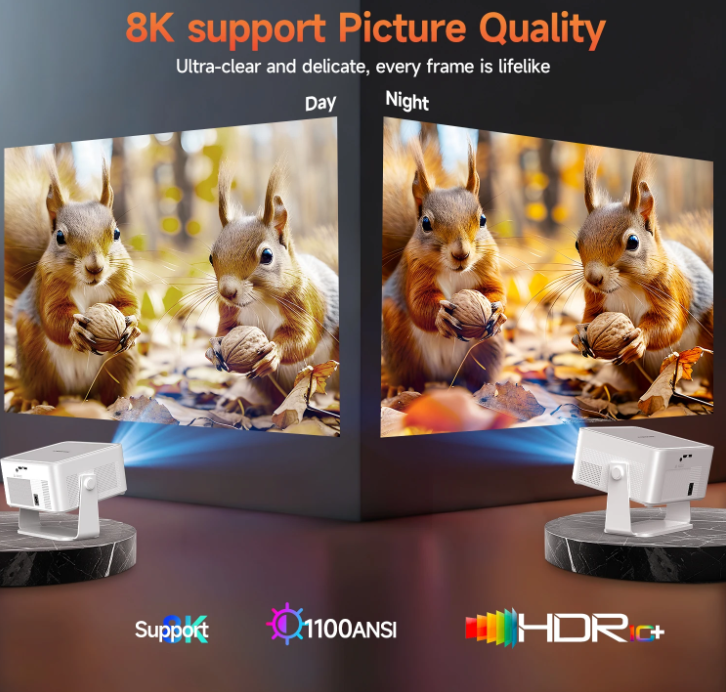
The native resolution is 1920 × 1080 pixels, therefore Full HD. This figure identifies the real number of pixels that the panel can display. The expressions “4K support” and “8K support” do not mean that the projector can physically display those resolutions.
The system can receive or decode a file with a higher resolution and scale it down to 1080p. The manufacturer’s page explicitly indicates maximum support up to 8K at 24 frames per second.
In my tests, 4K content and even some 8K videos were handled correctly. This does not, however, guarantee compatibility with every file. Codec, video profile, bitrate, frame rate and the application used can completely change the result.
In my experience the HY450 Max played the high-resolution content I tested well, scaling it down to its Full HD matrix.
At approximately 110 inches, in the dark and at the correct viewing distance, the image seemed well defined to me. Text, details and outlines are convincing for a product in this price range. Sharpness can, however, decrease toward the edges, especially when the projector is positioned far off-centre or significant keystone correction is applied.
INSIDE THE TECHNOLOGY | COLOUR AND CONTRAST
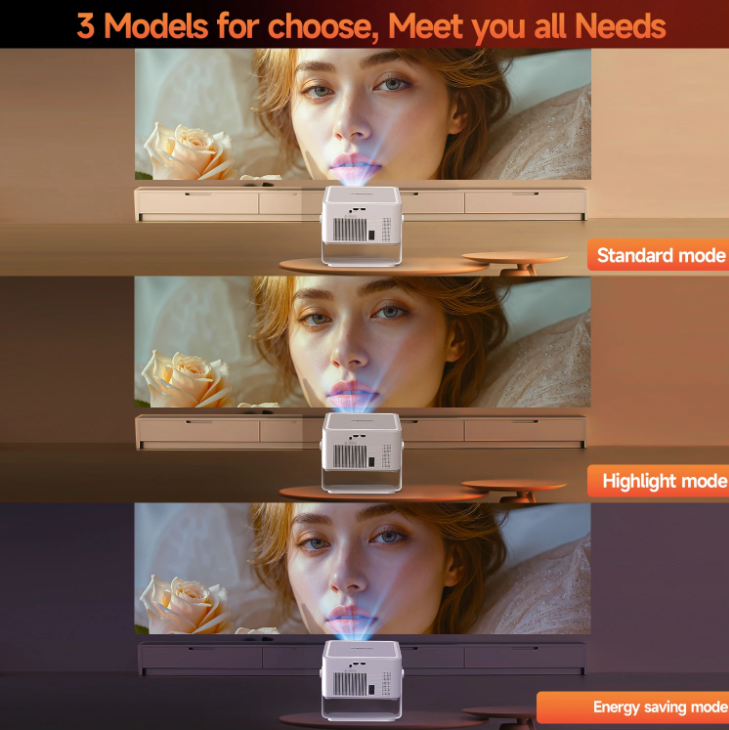
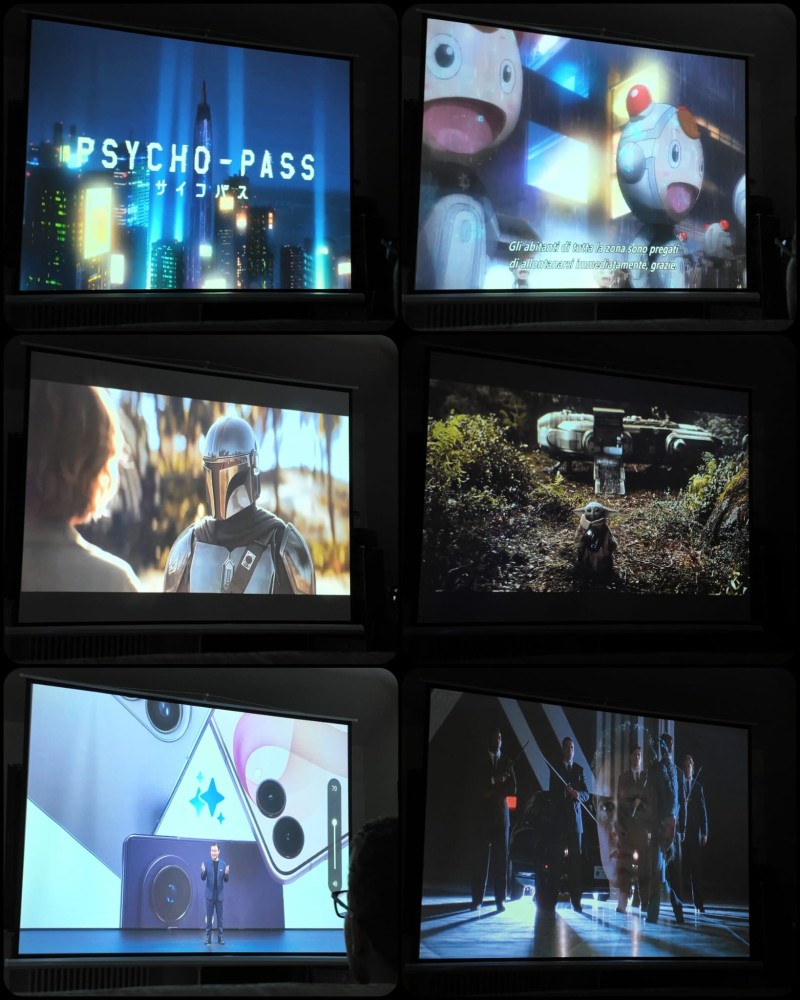
Image quality does not depend only on resolution. Colour must be evaluated by considering saturation, white temperature, gamma and the ability to distinguish similar shades. A very saturated image may be visually pleasing without necessarily being faithful to the original reference.
Contrast instead represents the distance between the brightest and darkest parts of the image. Good contrast makes it possible to distinguish details in shadows more clearly, increases perceived depth and makes the image less flat.
MAGCUBIC declares a contrast ratio of 2,000:1, but I did not find sufficiently solid independent measurements to consider it a verified value. In my experience in the dark, the colours are vivid, saturated and pleasant. The contrast also seemed very good to me in relation to the category and price of the product.
This naturally remains a personal visual assessment. Since I did not use a probe, I cannot speak about colour accuracy, Rec.709 coverage or gamma precision.
The manual nevertheless allows adjustment of image mode, contrast, hue, saturation and sharpness. This makes it possible to adapt the image to personal taste or adapt the result to the screen, the room and the content being played. Do not expect professional adjustments, but the foundation is there
INSIDE THE TECHNOLOGY | SMART AI AUTO ADJUSTMENT
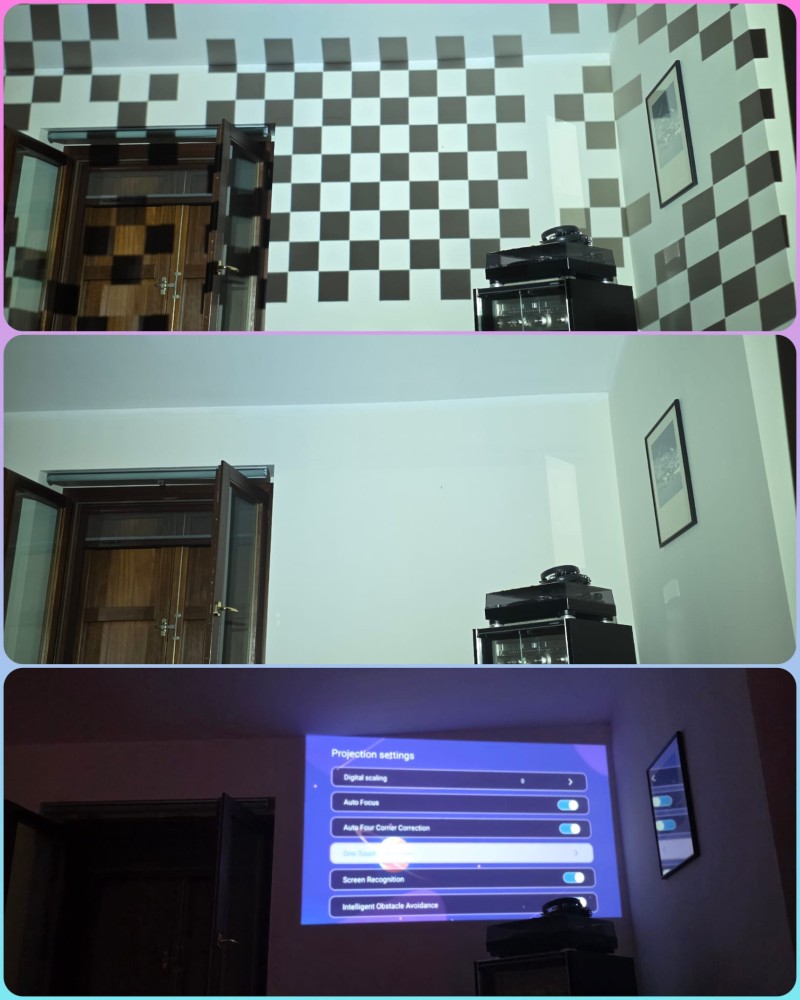
MAGCUBIC brings together autofocus, keystone correction, screen recognition and obstacle avoidance under the definition Smart AI Auto Adjustment. The term “AI” should not necessarily make one think of generative artificial intelligence or a system capable of understanding the room as a person would. The projector uses sensors and image analysis to identify geometries, edges and variations in sharpness. The manufacturer does not describe the entire hardware architecture and the algorithms used in detail, so it is more correct to speak of automatic image processing.
Screen recognition searches for the edges of the screen or wall and resizes the projection to fit it within the detected surface.
Obstacle avoidance instead analyses the projection area and, when it recognises an element interrupting the usable surface, can digitally reduce or move the image so that it does not overlap the obstacle.
Keystone correction intervenes when the projector is not perfectly perpendicular to the screen. In this situation the image would appear wider on one side or take on a trapezoidal shape. The processor remaps the frame within a corrected quadrilateral to make it appear rectangular.
The correction is convenient, but it is digital: part of the panel’s pixels is no longer used for the content and the image must be rescaled. The more intense the correction, the greater the loss of definition may be. To obtain the best quality, it is therefore advisable to place the projector as centred and perpendicular to the screen as possible, using the automatic features for the final adjustments.
In my test, recognition of the screen edges was precise. The inclination and geometry were also corrected convincingly. The result nevertheless depends on the contrast between the screen and wall, the lighting, the presence of recognisable borders and the position of the projector.
INSIDE THE TECHNOLOGY | AUTOFOCUS AND ELECTRONIC FOCUSING
Autofocus analyses an image or reference pattern and searches for the lens position that produces the highest level of sharpness. A small motor physically changes the position of the optical elements, while the electronics evaluate the result and stop the movement at the point considered best.
On my unit, the autofocus performed during the initial screen recognition did not always immediately identify the ideal adjustment. The remote control, however, has Focus+ and Focus− controls. I can therefore electronically correct the position of the lens without having to touch the projector. Once an area close to correct focus has been reached, the smaller adjustments are easier.
Centring, distance, inclination, keystone correction and tolerances of the individual optical assembly can produce different results. In my use, the overall definition was good, but I recommend always completing autofocus with a manual adjustment.
16:9 FORMAT, 4:3 SCREEN AND IMAGE ADJUSTMENT
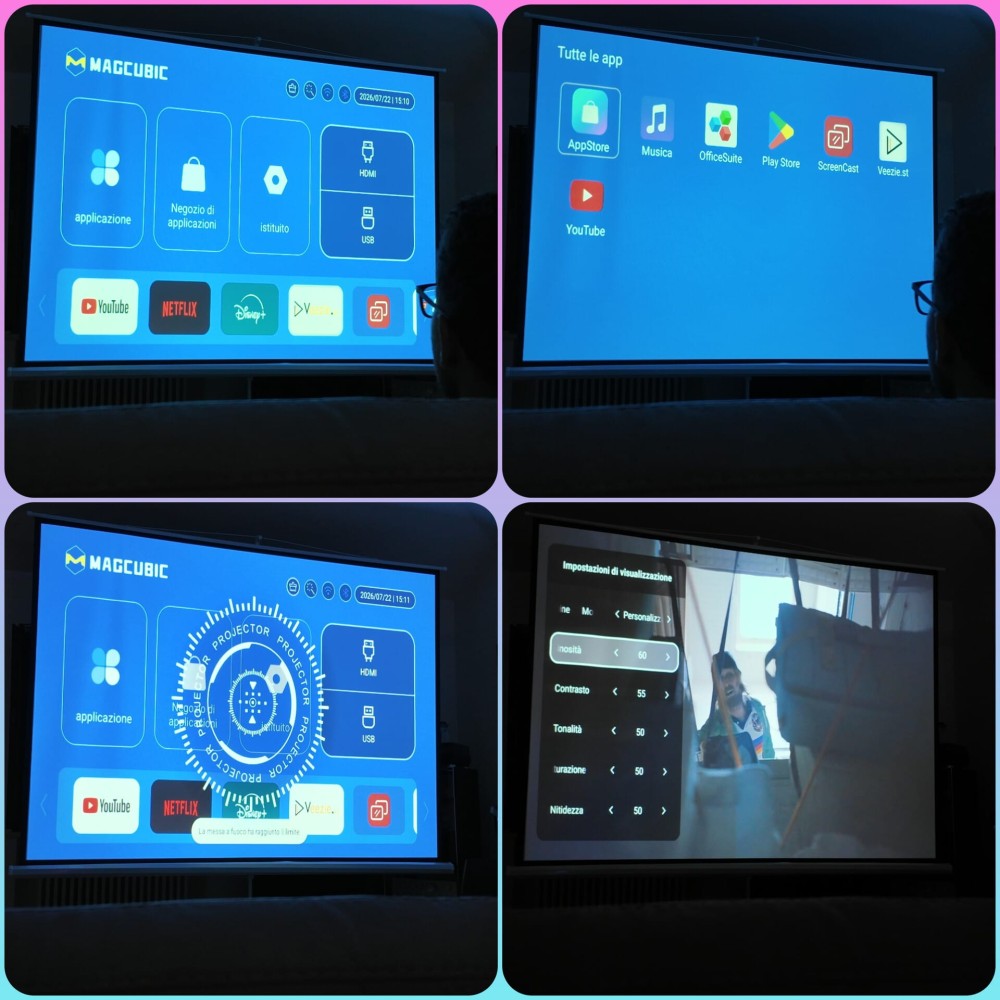
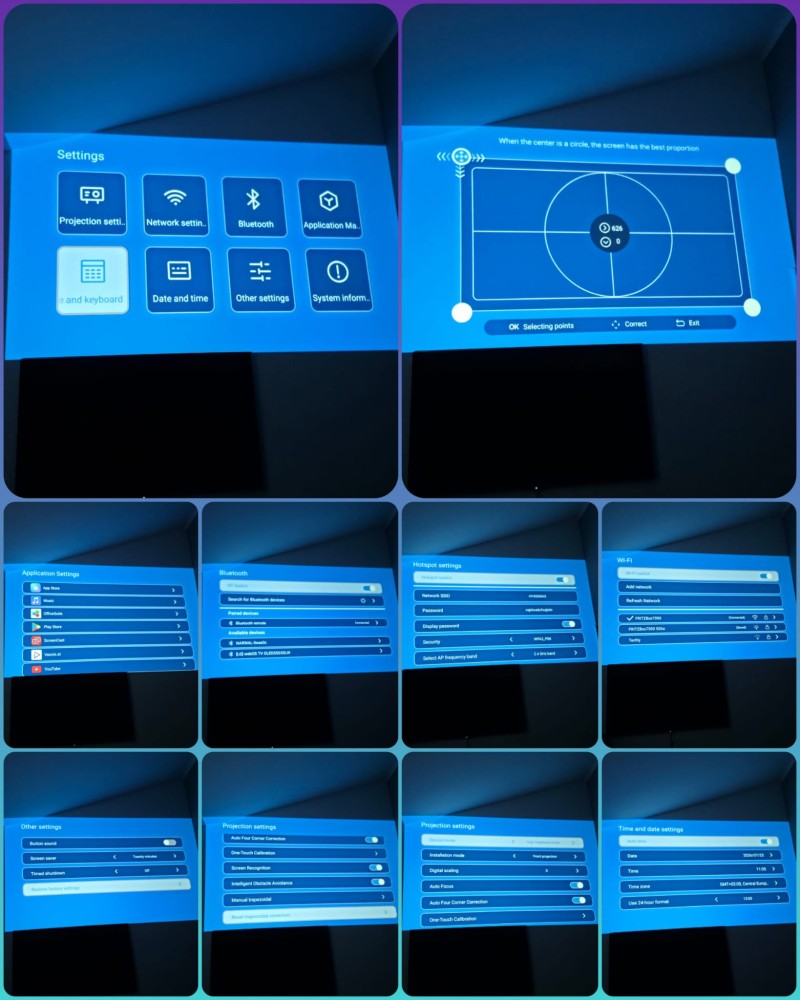
The HY450 Max natively uses the 16:9 format. This is the typical ratio of films, series, video games and modern television content. A 4:3 screen is taller for the same width and is more suitable for content such as slides, presentations or viewing old content. In my case, the 120-inch surface is therefore not entirely filled by a 16:9 image: the effective diagonal is approximately 110 inches.
During the various attempts to configure it on the screen, I observed behaviour that was not always consistent. On some occasions the image was correctly displayed in 16:9, using the full available width and leaving the normal unused bands above and below. On others, however, the system adapted the projection to the entire 4:3 surface of the screen, altering the original proportions.
The same difference occurred during content playback. With some applications the aspect ratio was recognised and automatically corrected to 16:9; with others the projection remained adapted to 4:3, producing a visibly distorted image.
This behaviour may not depend exclusively on the projector. The aspect ratio can also be managed by the application, the video player, the file being played or a possible HDMI source. Since I did not find a clearly recognisable general selector, however, I was not always able to intervene immediately and consistently.
It should also be considered that I had only a limited testing period available and that I do not have extensive experience with projectors. There may therefore be a function, a combination of settings or an adjustment within the individual applications that I have not yet identified.
In normal use, one should not manually move the four corners to geometrically transform a 4:3 image into 16:9. The correct ratio must be preserved by the player, application or source.. With my screen, the most correct solution is to maintain the native 16:9 image, use the full available width and accept the unused portions above and below.
It nevertheless remains a limitation of the interface: a clear control for choosing 16:9, 4:3, Auto and other formats would have been useful, especially for those using different sources or screens with different proportions.
INSIDE THE TECHNOLOGY | HDMI, USB AND WIRELESS CONNECTIONS
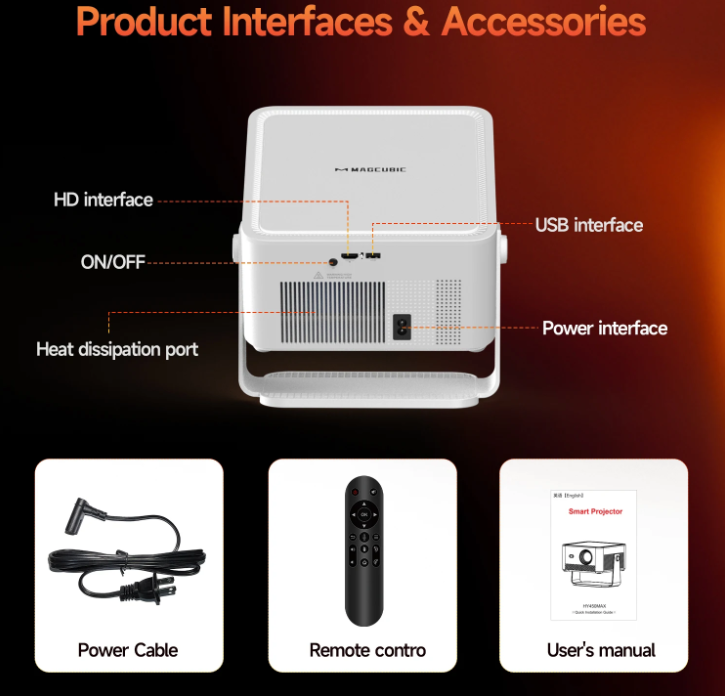
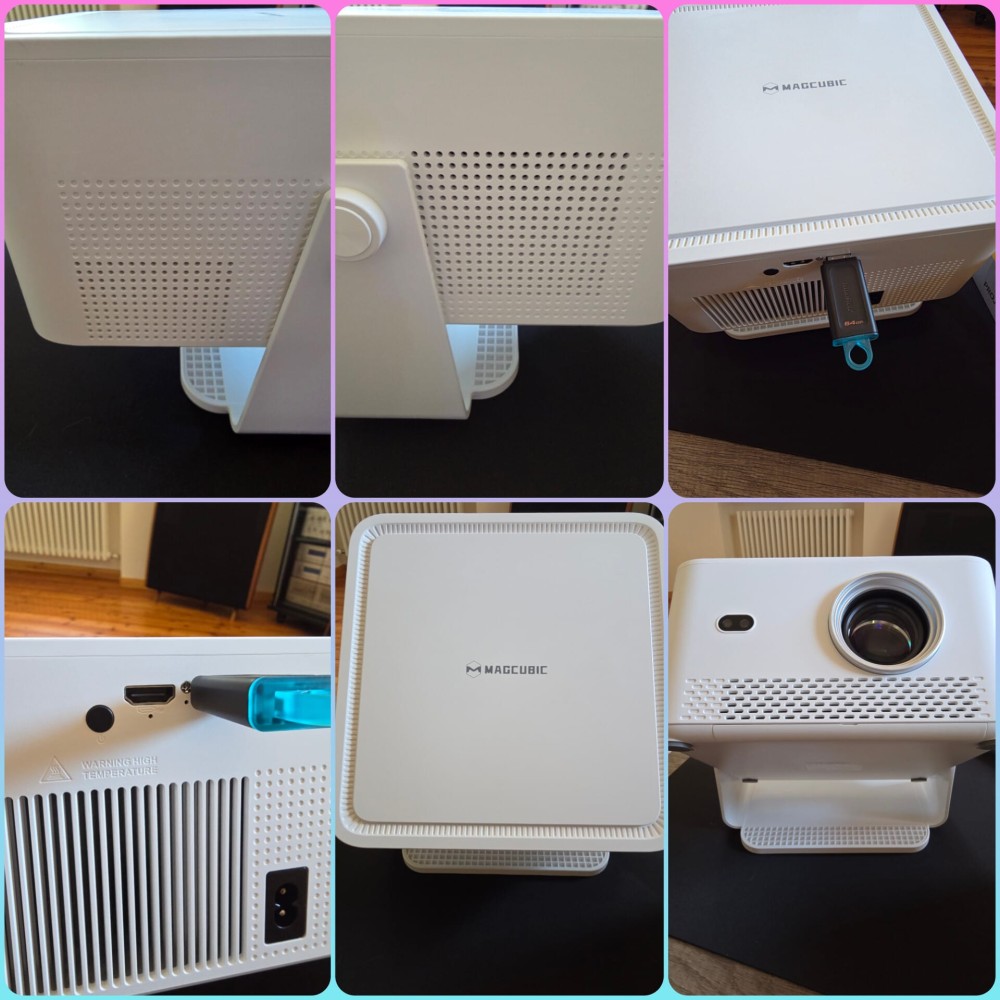
The physical port selection of the MAGCUBIC HY450 Max is essential: one HDMI and one USB Type-A, in addition to the dedicated power connector.
The manufacturer and the manual do not indicate the version of the HDMI or USB standard clearly enough. I therefore do not consider it correct to present values such as HDMI 1.4, HDMI 2.0 or USB 2.0 as certain when they are obtained exclusively from retailer listings.
HDMI
The HDMI port is a digital audio-video input. It makes it possible to connect computers, consoles, Blu-ray players, set-top boxes, Fire TV Sticks, Chromecast, Apple TV and other devices equipped with an HDMI output.
I confirm correct operation with a 1080p signal at 60 Hz. I did not, however, find official documentation detailed enough to guarantee all combinations of 4K, 8K, HDR, HDCP or higher refresh rates through HDMI.
The declared support for 8K files mainly concerns the system’s ability to decode compatible content and scale it down to Full HD. It should not automatically be interpreted as a guarantee of an 8K HDMI input.
In an online test, an HDMI input lag of approximately 73 milliseconds was measured. The figure is compatible with films, presentations and occasional gaming, but it is high for competitive titles or for those who require a very fast response to commands.
The figure does not make gaming impossible. With strategy games, management games, role-playing games, graphic adventures or cinematic experiences, the delay may be acceptable, especially for a user who is not particularly sensitive to input lag. It instead becomes a more evident limitation with competitive shooters, rhythm games, driving titles played at a high level, fighting games and, in general, with all games in which command speed is decisive.
The same applies when connecting a PC. The large format considerably increases involvement, but the MAGCUBIC HY450 Max was not created as a competitive gaming projector. The most accurate definition is therefore that of a product suitable for viewing content and occasional gaming.
USB
The USB Type-A port is mainly designed for connecting external storage devices and playing files through the internal system. In USB mode it is possible to access the content stored on a flash drive and directly access photographs, videos and other multimedia files through the integrated player.
The documentation does not specify with sufficient precision the supported file systems, unit capacity limit, supplied current or full compatibility with hubs, hard drives and peripherals.
In my test, I connected a common FAT32-formatted flash drive to the USB-A port, onto which I had copied several videos and different images from the computer. The memory was correctly recognised by the system and I was able to access the files through the integrated media player. Video playback and photo viewing also took place normally, without evident problems.
Wi-Fi 6, mirroring and Bluetooth 5.4
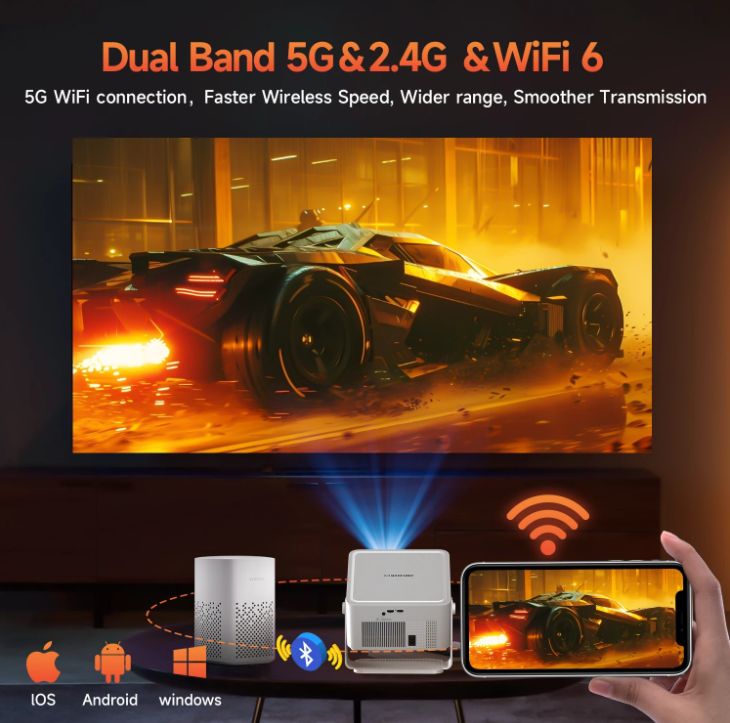
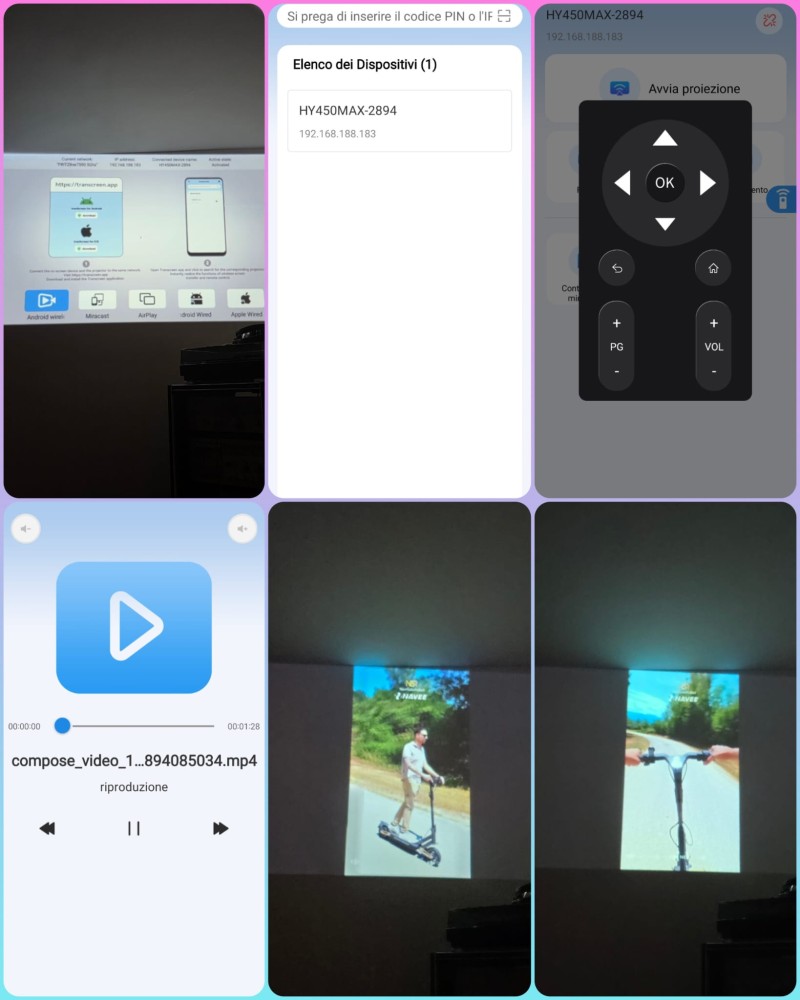
Dual-band Wi-Fi 6 connects the projector to the home network and is used by Android for applications, updates and streaming. It also enables mirroring from Android, iOS and Windows devices when the source and projector are on the same compatible network.
Mirroring is convenient for photos, presentations and occasional videos, but quality and delay depend on the network, protocol and device used. For high-bitrate films or video games, HDMI generally remains the most stable connection.
The MAGCUBIC HY450 Max supports Miracast for Android devices and AirPlay for Apple devices. The manual indicates connecting the projector and smartphone to the same local network, opening ScreenCast on the projector and then starting duplication from the mobile device.
This mode can be particularly convenient for showing photographs and videos stored in the smartphone gallery. With unprotected local content, it is possible to display images and videos immediately without using cables or transferring the files to a USB memory device beforehand.
Bluetooth 5.4 instead serves mainly for the remote control and for pairing headphones or external speakers. It does not carry video. In my case, the connection with a Yamaha True X Speaker 1A worked correctly.
A Bluetooth Dual Audio mode for simultaneously sending sound to two independent speakers is not documented.
The choice to limit physical connections to one HDMI and one USB keeps the panel simple and consistent with the nature of the product.
ANDROID 14, APPLICATIONS AND PERFORMANCE
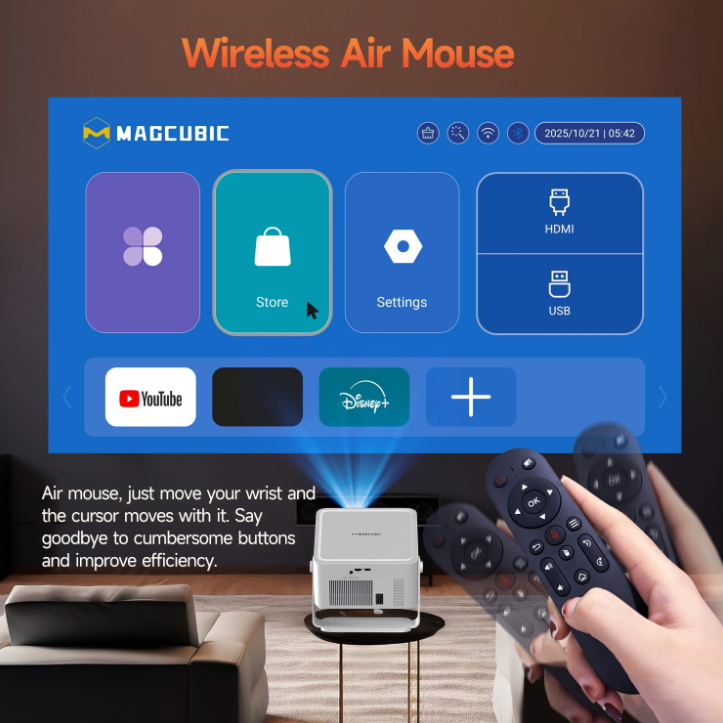
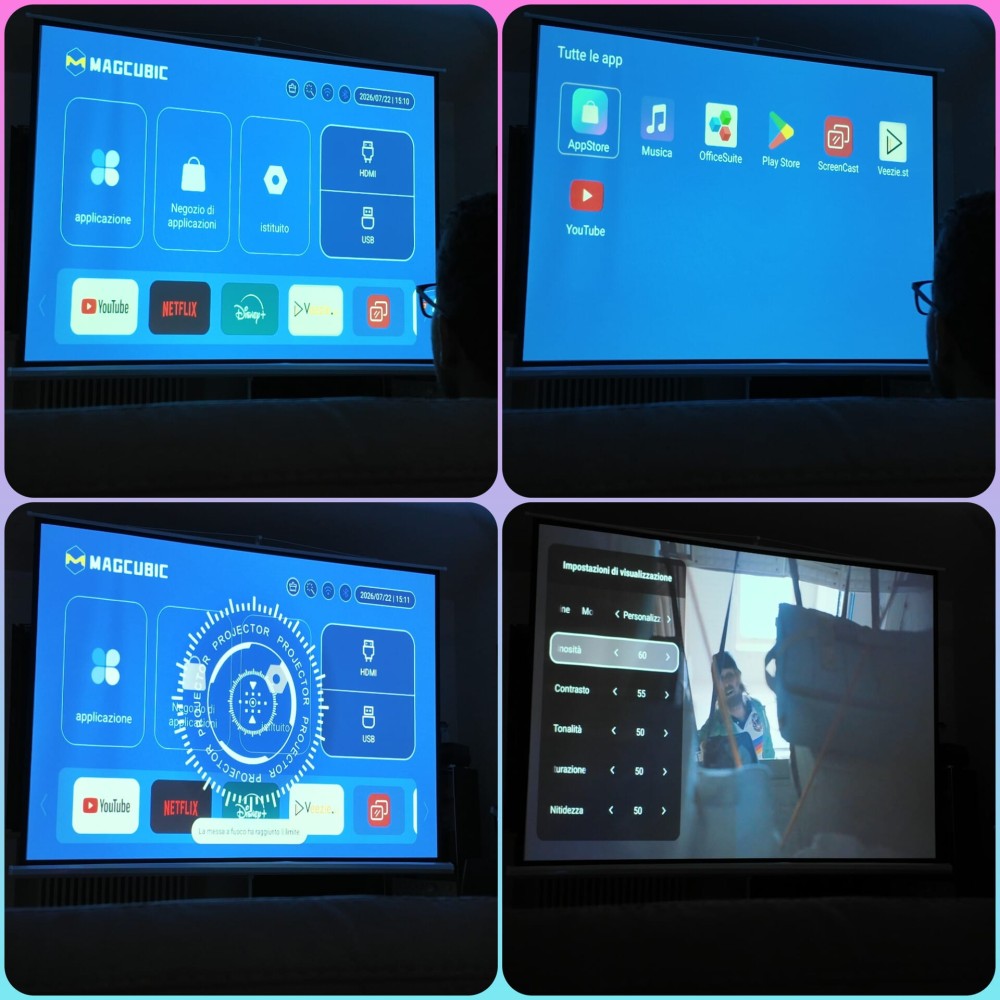
The system uses Android 14, an Allwinner H726 processor, 2 GB of RAM and 16 GB of internal memory.
The presence of Android makes it possible to install applications, use streaming services and play content without necessarily connecting an external device. The Bluetooth remote control also integrates pointer mode, which is useful in interfaces that are not perfectly adapted to traditional navigation.
The 2 GB of RAM, however, is an essential allocation. During my tests, the system proved to be usable overall, but in some applications and during certain transitions I noticed slowdowns and a response that was not always immediate.
This is not a problem serious enough to significantly compromise the experience, but it is a limitation that I consider correct to point out. Performance may depend on the application, processes in memory, updates and the type of file being played. On the home screen there is a function that allows RAM memory to be freed, which I recommend using if you begin to notice slowdowns.
For those who want the greatest possible stability with Netflix, Prime Video, Disney+ and other services, a Fire TV Stick, Chromecast, Google TV or another certified player remains the safest solution. In this way, the projector is used mainly as a display device through HDMI.
BUILT-IN AUDIO AND BLUETOOTH
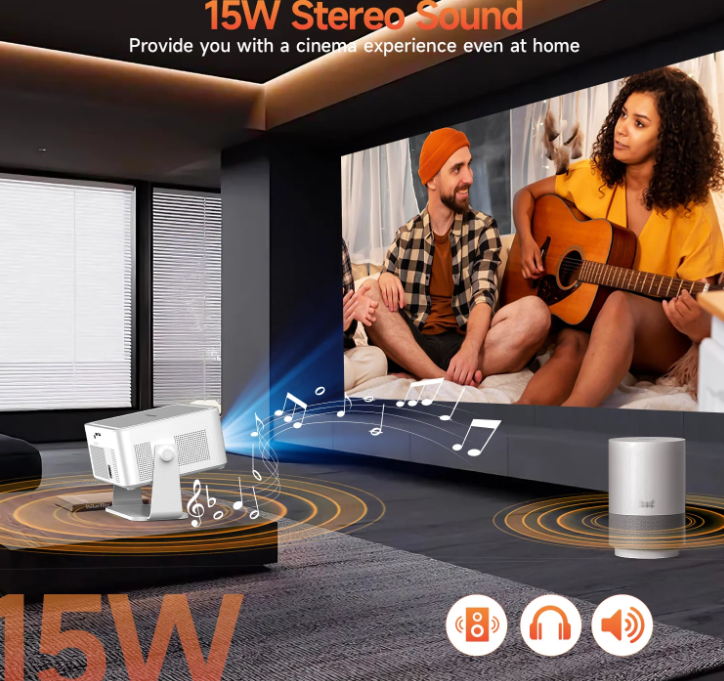
The MAGCUBIC HY450 Max integrates a 15 W stereo speaker, according to the product sheet used as a reference.
In real use, the built-in audio is valid as accompaniment for a presentation, a recording, an online video or occasional viewing.
Voices are fairly clear and the volume can reach a decent level. In a large room, however, it is necessary to increase it considerably and, when approaching the limit, the sound tends to lose clarity and may begin to crackle.
Low-frequency reproduction is also inevitably limited. To enjoy a film with a wider soundstage, fuller dialogue and credible effects, it is advisable to connect a good external speaker or a Bluetooth soundbar.
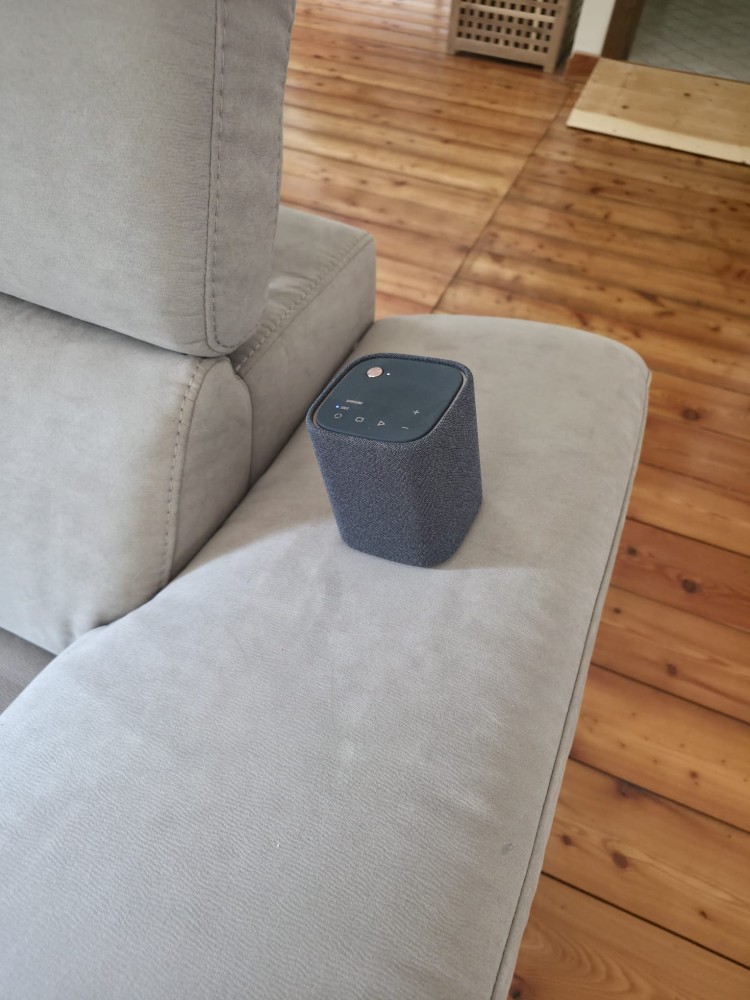
I successfully paired the projector with a Yamaha True X Speaker 1A via Bluetooth. The connection with a single speaker worked. Support for Bluetooth Dual Audio to simultaneously send sound to two independent speakers does not appear to be documented.
USER EXPERIENCE
In a truly dark environment, the MAGCUBIC HY450 Max offers, in my opinion, very good video quality.
On the approximately 110-inch screen the image is bright, well defined and immersive. The colours are vivid and the contrast is convincing for the range in which the product is positioned. It is precisely in the dark that the perceptual leap compared with a traditionally sized television can be appreciated most.
In the presence of ambient light, quality inevitably decreases. Black becomes greyer, colours lose depth and the perception of focus may worsen. With light that is not excessive, however, the content remains perfectly viewable.
Screen recognition and automatic geometry correction positively surprised me. The system is not infallible, but it manages to quickly approach a correct image. The initial autofocus, on the other hand, is the aspect that convinced me least. In my case, it almost always required checking and, on some occasions, a small intervention using the dedicated buttons.
Playback of the high-resolution files I tested was good. The main limitation does not concern the ability to accept the content, but the fact that the matrix remains Full HD and that the software, in some circumstances, may show some slowdown.
The internal audio is more than sufficient for immediate use, but it does not replace a true external system when the objective is to build a cinematic experience.
The most particular limitation that emerged in my configuration concerns the format. With a 4:3 screen, I would have appreciated an immediate and clearly identifiable selector for managing 16:9, 4:3 and other ratios without having to intervene on the geometric adjustments.
My judgement is overall positive, especially considering that this is my first in-depth experience with a projector of this type.
The aspects that convinced me most are:
the brightness in a not so dark environment;
the perceived image quality at approximately 110 inches;
the vivid colours and the contrast, in my opinion very good;
the precise recognition of the screen edges;
the automatic geometry correction;
the handling of the 4K and 8K files I tested;
the simplicity of the Bluetooth connection with an external speaker.
The aspects that I consider less successful are:
the initial autofocus, which is not always precise;
some slowdown in the Android system;
the absence of an aspect-ratio selector;
the audio, which loses quality when pushed to very high volume, limited bass;
TECHNICAL PROFILE
Model: MAGCUBIC HY450 Max
Projection technology: LCD
Light source: LED
Native resolution: 1920 × 1080 pixels
Declared native format: 16:9
Declared maximum accepted resolution: up to 8K/24 fps
Declared brightness: 1,100 ANSI lumens
Declared contrast: 2,000:1
Throw ratio: 1.0:1
Advertised maximum size: up to 150 inches
Autofocus: yes
Manual focus adjustment: motorised via remote control
Keystone correction: automatic four-corner and manual
Screen recognition: yes
Obstacle avoidance: yes
Digital scaling: yes
Operating system: Android 14
Processor: Allwinner H726
RAM memory: 2 GB
Storage: 16 GB
Wi-Fi: dual-band Wi-Fi 6
Bluetooth: 5.4
Mirroring: Android, iOS and Windows
Physical inputs: one HDMI and one USB-A
HDMI and USB version: not specified in the official documentation consulted
HDMI signal verified in an independent test: 1080p at 60 Hz
HDMI input lag measured in an independent test: approximately 73 ms
Audio: built-in 15 W speaker
Theoretical LED source lifespan: up to 50,000 hours
Declared dimensions: approximately 230 × 240 × 127 mm
Declared weight: approximately 2.37 kg
CONCLUSIONS
The judgement on the MAGCUBIC HY450 Max is overall positive, but it must be calibrated according to expectations and the category to which it belongs.
What I liked most is the image quality, in my opinion very good when the projector is positioned correctly, on a suitable surface and used in a completely dark environment. The image is bright, immersive and can reach dimensions capable of concretely changing the way films, series and other video content are enjoyed.
The less convincing aspects mainly concern an interface that is not always fluid, aspect-ratio management that in some circumstances required several attempts from me and an audio section that, although usable, is not always able to adequately accompany the scale of the image. These are the elements in which, in my opinion, the product shows the compromises of its budget nature.
It is a projector mainly suited to those who want to approach video projection, obtain a very large image without facing the costs of a high-end home cinema system and accept some compromises in the interface and audio.
It is not a professional home cinema projector and it does not try to be one. In the right conditions, however, it manages to do the most important thing very well: transform a wall or a screen into a display capable of truly changing the viewing perspective.
The immersion offered by a large-scale projection is not directly comparable with that of a common television. At least in my domestic experience, where screens generally range between 55 and 65 inches, the transition to video projection provides a completely different sensation. It does not necessarily mean obtaining superior quality, but experiencing the content with a scale and visual involvement that are difficult to achieve with a normal TV.
Another strength is its autonomy in content playback. It does not necessarily require a PC, console or external player. Simply position it, connect it to the power outlet and the Wi-Fi network (or to a smartphone via tethering), then use Android and the available applications. Wi-Fi, Bluetooth, HDMI, USB and mirroring nevertheless make it possible to further expand the usage possibilities.
It is therefore not necessary to build a dedicated system around it. It can be used in the living room, kitchen, bedroom or moved outdoors. Thanks to a screen equipped with a stand, it is also possible to organise a projection in the garden. And this is probably where the concept of portability gains the most value: a summer evening, a night-time outdoor projection and a large image can transform the simple viewing of a film into a real pleasure, simply and quickly.
The list price would be €411.95, but at the time of publication I found it on sale on the official website for €193.95, with a discount of more than 50%. Frankly, at this price, considering the image quality, the projection size and the overall technology, it is a purchase I would absolutely recommend to anyone looking for this type of projector without wanting to spend a large amount.

